
Custom CRM Software
What a CRM is, the jobs it does for a company, and where it makes the biggest difference, from the first enquiry to the customer who keeps coming back.
Published
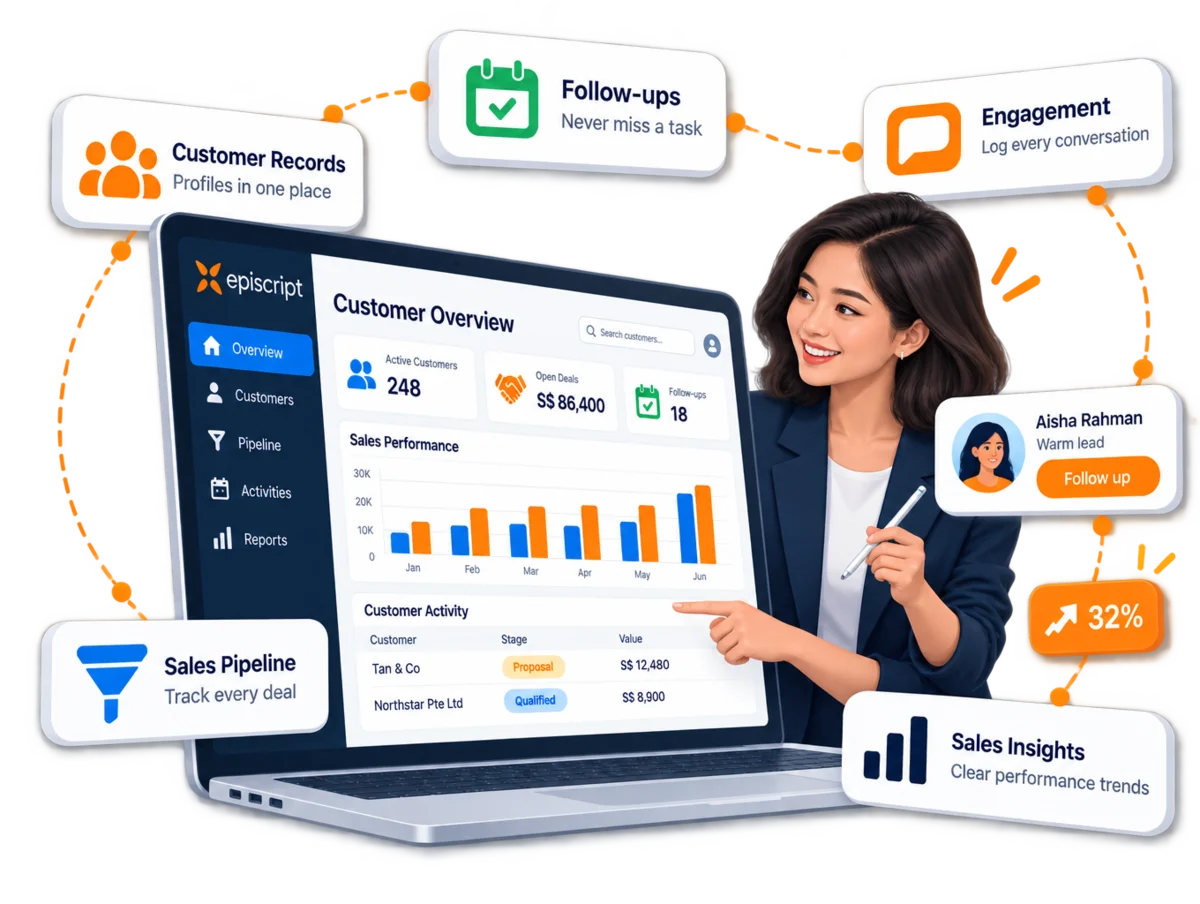
CRM, or Customer Relationship Management, sits at the core of every company's operations. It captures the data a company needs to run an efficient and profitable business.
A CRM Software system tracks and manages your interactions with customers, team members and suppliers: finding new prospects, closing deals and supporting customers for as long as the relationship lasts. Think of it as the company's shared memory, so nobody has to ask who spoke to the customer last.
Key takeaways at a glance
| Key takeaway | What it means for you |
|---|---|
| CRM stands for Customer Relationship Management | A system at the core of your operations, tracking every interaction and holding the data you need to run the business efficiently. |
| It puts customer information in one place | Every department works from the same record: past interactions, sales targets and financial transactions included. |
| The aim is a better customer experience and more sales | Leads are identified and categorised properly, and existing customers get faster, better support. |
| Existing customers are a source of new leads | Regular contact opens up chances to cross-sell and upsell, and happy customers reward you with new business. |
| The best CRM fits the way you work | Episcript customises each CRM to the unique operations of the business, rather than asking the business to fit the software. |
| Good CRM design starts with questions | Understanding your challenges comes first; the modules and features are designed to suit them. |
Swipe to see the whole table
Many modern CRM Systems connect to external sources, which means the customer information in front of you is current while you handle an enquiry or a request. The bigger gain is who else gets to use it.
Customer data in one person's inbox helps one person. In a CRM it helps the whole company.
Real-time customer information on screen while you answer, drawn from the CRM and the sources connected to it.
From the back office marketing team to the front line sales staff, everyone plans from the same customer data.
Every conversation starts from the full picture, which over time builds a strong and loyal customer base.
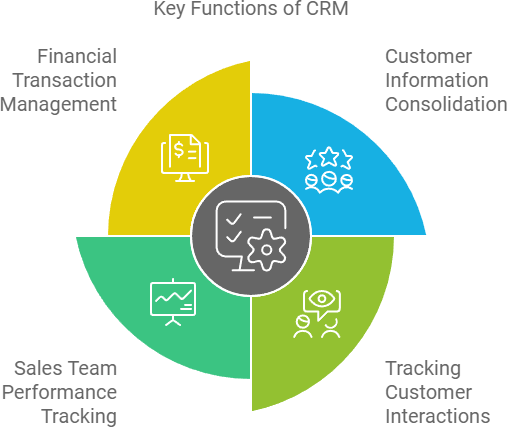
The aim is usually to improve the customer experience and boost sales. These are the functions that do the work.
All your customer information in one place: a single point of reference for every department, instead of passing it to each one separately.
The whole history stays with the customer, even when they regularly deal with different members of your company.
Set targets, monitor progress and reward your sales team with commissions based on pre-set rules.
Sales orders, contracts, invoices, payment receipts and account statements, all held against the customer.
A CRM has proven effective in these areas, from the revenue line to the standard of your service.

A CRM can be crucial in lifting lead conversion and sales, staff productivity, customer satisfaction and the quality of your decisions. Together, these add up to major revenue improvements.

New leads are easy to add and categorise correctly. Sales spots the opportunities most likely to convert, while marketing nurtures the rest until they become qualified leads, both working from complete and accurate information.

Regular contact with your customers opens up chances to cross-sell and upsell. Good service pays: a customer who is well looked after is far more likely to buy again and recommend you.

Customers expect far better and faster service than they did a few years ago. In Episcript's CRM, every customer activity, purchase and interaction sits on a single page, so your team answers questions and resolves issues quickly.

A good CRM collects information from a wide range of sources, showing what customers say about your business and how they value your service. You can then improve your offerings, and spot and resolve problems early.
The Custom CRM Software page shows how each of these areas works in a CRM built around your own sales process.
No two businesses are alike, so every customer deserves a CRM designed around the way they run their company.
Before we design your CRM, we ask questions to understand your challenges and how you operate.
We recommend the modules that would benefit you, based on our extensive experience of building systems.
We look objectively at how well your current processes serve you, and where they hold you back.
Then we decide which modules and features a complete, effective CRM needs for your business.

Start with the key functions above and ask where each one lives in your company today: a spreadsheet, an inbox or somebody's memory. The gaps you find are the parts of a CRM to see working first.
Episcript designs custom CRM Software around the way your company runs, and our solutions are eligible for government grants. Two related guides cover choosing CRM Software for a small business in Singapore and turning leads into lifelong customers.
CRM stands for Customer Relationship Management. It is the system at the core of a company's operations that tracks every interaction with customers, team members and suppliers, and holds the data needed to run the business efficiently.
A CRM is used to improve the customer experience and boost sales. It consolidates customer information, tracks every past interaction, measures sales team performance against targets and manages orders, contracts, invoices and payments.
A CRM lifts revenue by improving lead conversion, staff productivity, customer satisfaction and the quality of decisions. Regular contact with existing customers also creates chances to cross-sell and upsell, which brings in new business.
A CRM gives sales and marketing the same complete, accurate lead records. Sales picks out the opportunities most likely to convert, while marketing nurtures the rest until they become qualified leads.
A CRM puts every customer's activities, purchases and interactions on one page, so your team can answer questions and resolve issues quickly. That matters because customers now expect far better and faster service than a few years ago.
A CRM works best when it fits the way your business runs, because no two businesses are alike. Episcript asks how you operate before designing the modules and features, and our solutions are eligible for government grants.
Capture every enquiry, deal and conversation your organisation needs to keep a profitable operation running.

Harnessing the power of a custom CRM is like finding the perfect assistant who never sleeps. Episcript's CRM Software isn't just a tool; it's the backbone of a thriving sales environment. Dive into the key takeaways of our cutting-edge system designed to transform leads into loyal patrons.
Read the article →
Selecting the ideal CRM Software is crucial for small businesses in Singapore's dynamic market. With numerous options available, it's essential to find one that matches your specific needs, offering the right blend of features and value to make a significant impact on your business operations.
Read the article →