Event Management System in Singapore for In-Person, Online and Hybrid Events

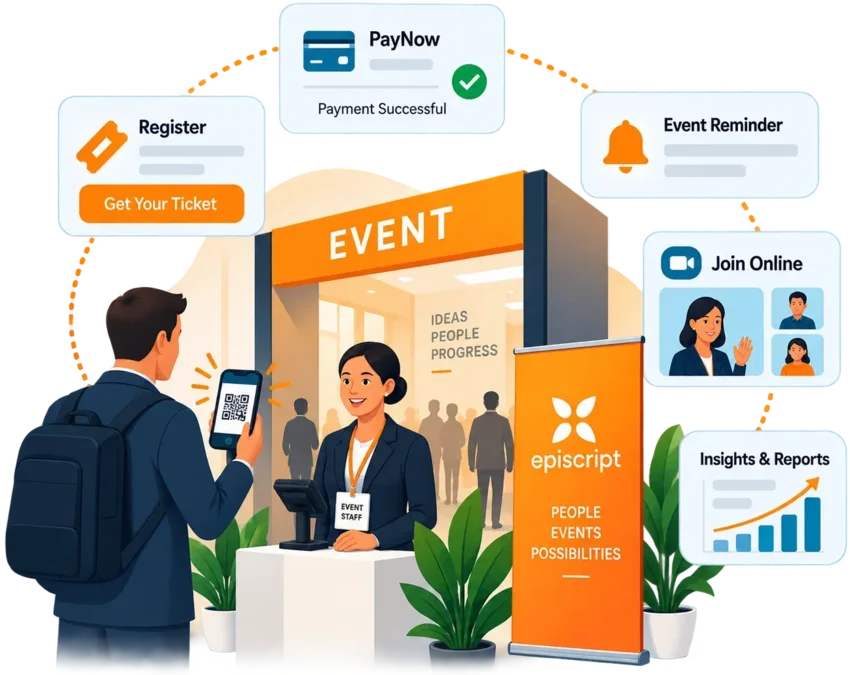
Bring your attendee and contact data together, issue tickets, collect payment and record who actually attends. Episcript builds event management software around the way your organisation runs its events, from the first invitation to the post-event survey.

One system for invitations, registration, ticketing, payment, check-in and reporting.

AI features can be scoped with you and added in their own phase, from drafted reminder emails to summarised survey feedback.

Event management software bringing registration, ticketing, attendee lists and check-in together in one view
  • Built and supported in Singapore
  • In-person, online and hybrid events in one record
  • PayNow, card and GIRO payment options
  • Connects to your accounting, CRM and calendar tools
  • AI features added in their own phase
One Connected Platform

Run in-person, online and hybrid events from a single system

The event management system links your contact lists, invitations, registration forms, ticketing, payments and check-in to one record for each event.

A confirmed registration issues the ticket, takes the payment and adds the attendee to the check-in list without anyone retyping a name.

The system follows your own event formats, ticket types, discount rules, approval steps and reporting requirements. Committee members, marketing staff and front-desk teams work from the same attendee record, whether the event runs in a hotel ballroom, over Zoom, or across both at once.

AI features can also assist with repetitive work such as drafting reminder emails and grouping survey responses, with your team reviewing the output before it is released.

Associations and professional bodies that also manage subscriptions, grades and CPD records often run events alongside our membership management system.

Connected Operations

What changes once the system runs

  • Registrations, payments and attendee lists update from one record instead of three spreadsheets
  • Invitations and reminders go out on the schedule you set, not when someone remembers
  • Front-desk staff scan a QR code rather than searching a printed guest list
  • Finance sees ticket income against each event as it clears
  • Attendance figures and survey results reach you within hours of the close
Event Workflow

The event lifecycle, from invitation to post-event survey

Every event moves through the same six stages, and each stage writes to the same record. Nothing is rekeyed between the invitation and the final report.

  1. 1

    Plan and publish

    Set up the event, the ticket types and the prices, then publish the event page and add the date to the shared calendar.

  2. 2

    Invite

    Segment the contact list and send invitations in batches. Every RSVP lands against the event as it arrives.

  3. 3

    Register and pay

    Attendees pick a ticket, apply a promotion code and pay by PayNow or card. The confirmation and receipt follow immediately.

  4. 4

    Remind

    Automatic email and SMS reminders reach registrants before the date, carrying directions or the joining link for online sessions.

  5. 5

    Check in

    Scan the QR code at the door, admit online attendees through the same list, and register walk-ins at the counter.

  6. 6

    Report and follow up

    Surveys go out automatically. Attendance, ticket income and feedback appear in the event report the same week.

Ticket types, prices and discount rules being configured for a conference, with early bird and member rates listed

Event registration software, ticketing and payment collection

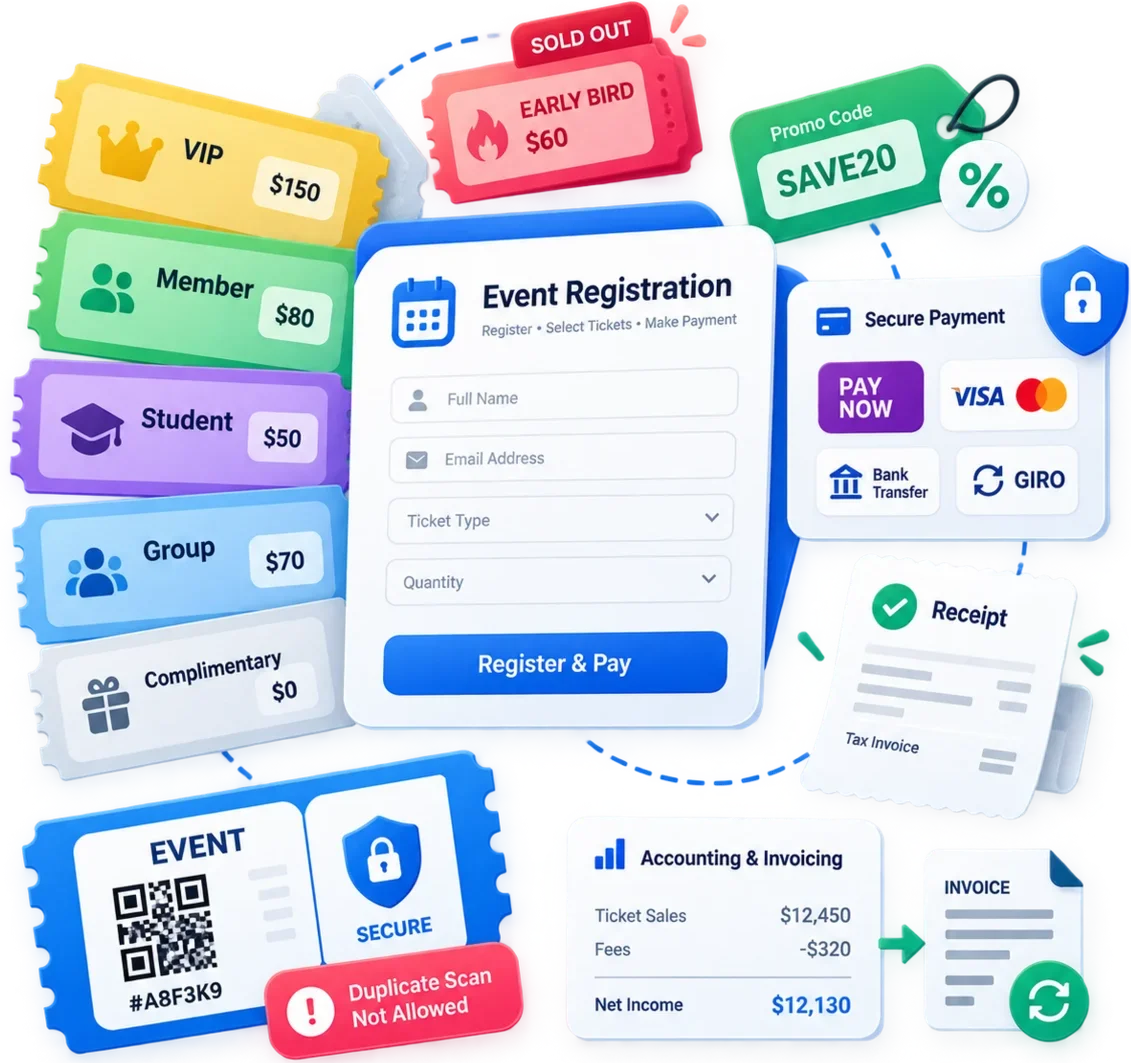
Registration and ticketing run from one form that you control. Build the ticket types the event needs, decide who sees which price, and let the system close each tier when it sells out or reaches its cut-off date.

  • Ticket types. VIP, general admission, member, student, group and complimentary passes, each carrying its own price, quantity and closing date.
  • Discounts and promotion codes. Early bird rates, group bookings and member pricing, plus unique codes issued to sponsors, partners or a mailing list you want to track.
  • Payment. PayNow, credit and debit cards, bank transfer and GIRO, with the receipt or tax invoice issued the moment the payment clears.
  • Secure ticketing. Encrypted transactions, unique ticket references and duplicate checks that catch a ticket presented twice at the door.

Ticket income posts against the event rather than sitting in a separate sales sheet, and the same figures reach your accounts through our invoicing software or your existing accounting system.

Event promotion, invitations and attendee communication

Filling the room takes more than a registration form. These capabilities cover the work between announcing an event and opening the doors.

Contact segmentation for targeted event invitations

Smart contact lists

Segment contacts by organisation, membership grade, past attendance or stated interest, then invite the list that matches the event. Each contact carries its own history, which stops the same person receiving three copies of one invitation.
Automated event invitations and RSVP tracking

Automated invitations and RSVP tracking

Send invitations in batches and track every RSVP against the event. The system chases contacts who have not replied, and the guest list rebuilds itself as acceptances and declines arrive.

Email marketing campaigns for event attendees

Email marketing campaigns

Design and send campaigns to a segmented list before, during and after the event. Open and click figures show which message filled the room and which one nobody read.

Real-time SMS and email event notifications

Real-time SMS and email notifications

Push a venue change, a programme update or a joining link the moment it matters. Registrants receive it by email or SMS, and the system logs what was sent to whom.

Branded event page builder for registration and promotion

Branded event page builder

Build the event page yourself: programme, speakers, venue details, ticket options and the registration form, in your own branding. Publish it under your own domain and edit it while registration is still open.

Integrated event calendar for upcoming events

Integrated event calendar

Hold every upcoming event in one calendar. Members and customers browse what is coming, and your team spots two events landing on the same evening before the invitations go out.

On-site check-in, QR code scanning and seating plans

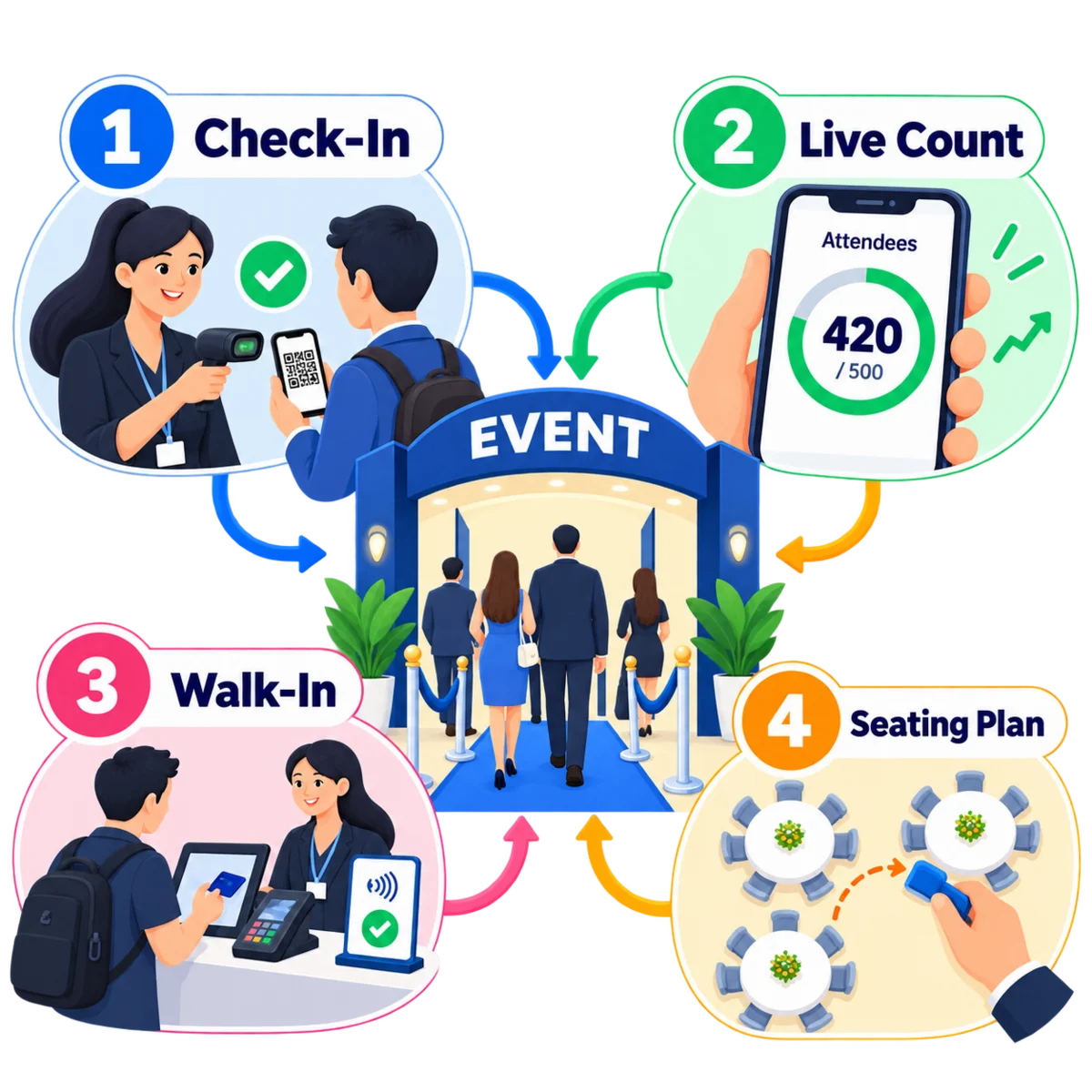
Check-in draws on the attendee list your registration already built. Staff scan the code on a ticket, the attendee is marked present, and the arrival count updates for everyone watching the door.

  • Barcode and QR code scanning from a phone or a handheld scanner, which keeps the queue at the registration desk moving.
  • Online attendance recorded beside on-site arrivals, giving a hybrid event one attendance figure rather than two.
  • Walk-in registration and payment at the counter, added straight to the same list.
  • Drag and drop seating plans for dinners, banquets and award nights, with tables assigned from the registration list and reprinted when someone cancels.

Organisers watch the count from a phone during the event, and the final attendance total is ready before the room is cleared.

Front-desk check-in screen with a QR code being scanned and the live arrival count beside it

Registration statistics, event reporting and post-event surveys

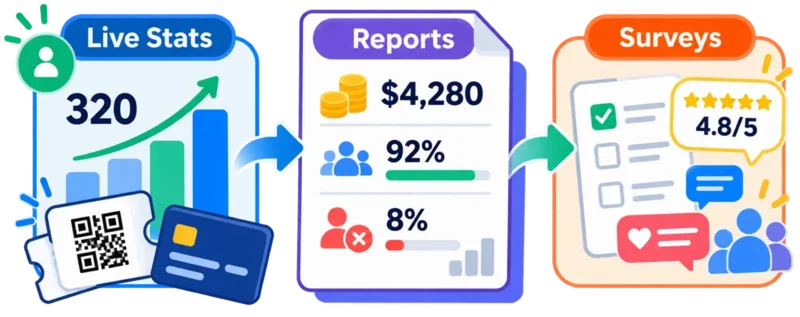
Every registration, payment and scan feeds the same reporting layer, which is where the case for next year's budget usually comes from.

Reporting dashboard for a conference showing registrations by ticket type, income collected and attendance against capacity
Live event registration statistics by ticket type and source

Live registration statistics

Watch registrations by ticket type, promotion code and source while the event is still selling. Slow-selling ticket tiers show early, giving you time to run another campaign or adjust the price.
Detailed event reports for attendance, income and no-show rates

Detailed event reports

Compare ticket income, attendance against capacity, no-show rates and sponsor numbers across events and across years. Export the figures your committee or board asks for.

Automated post-event feedback and attendee surveys

Automatic feedback and surveys

Surveys reach attendees on a delay you set after the close, and responses attach to the event and the individual. Scores by session tell you which speaker to invite back.

Built Around Your Events

Conferences, AGMs, roadshows and member events

The rules change with the event. A member briefing, a paid conference and a public workshop each need their own registration flow, and the system carries all of them.

Members seated at an association briefing

Association and society events

AGMs, EGMs, member briefings, CPD sessions and annual dinners, with attendance recorded against the member record and member pricing applied at registration.

Speaker presenting to a conference audience

Corporate conferences and roadshows

Multi-session programmes, delegate and sponsor passes, speaker schedules and hybrid streaming for colleagues and clients joining from overseas offices.

Training register with completion records

Training and certification events

Course intakes, attendance registers and completion records, kept in the form your accrediting body expects for CPD or professional certification.
Ticket being presented at a public event

Ticketed public events

Exhibitions, festivals, workshops and fundraising nights sold to the public, with tiered pricing, promotion codes and a public event page you control.

AI features for event management software in Singapore

AI features in event management software work with information already held in your own event records. Each one is scoped with you, built in its own phase and tested before an event relies on it, and a person reviews the output before an attendee sees it.

Drafted invitations and reminders

AI drafts the invitation, the reminder and the thank-you message from the event brief and your previous campaigns. Your marketing team edits the wording and sends it.

Attendance and no-show forecasting

AI reads registration and attendance history for comparable events and estimates how many registrants will turn up, helping you plan catering quantities and venue capacity more accurately.

Survey response summaries

AI groups free-text survey answers into themes and names what changed since the last event, rather than leaving four hundred comments for one person to read.

Contact list cleaning

AI flags duplicate contacts, stale job titles and addresses that bounced last time, so the invitation list is checked before the campaign leaves.

Drafted replies to registration enquiries

AI drafts answers to the questions that fill the inbox before every event: programme times, venue directions, invoice requests and ticket transfers, using your own event records.

Session suggestions for delegates

AI recommends sessions to each delegate from the track they registered for and the sessions they attended previously, helping delegates discover relevant sessions they might otherwise miss.

Integrations for payments, accounting, messaging and video

Your organisation already runs accounting, payment and messaging tools. The event system can integrate with them rather than asking you to replace them, and each connection is scoped and built as part of the project.

  • Credit and debit cards
  • PayNow
  • GIRO
  • PayPal
  • Xero
  • WhatsApp Business
  • Email and SMS gateways
  • Google Calendar and Microsoft 365 / Outlook Calendar
  • Zoom and Microsoft Teams

If you run something that is not on this list, tell us what it is and we will scope the connection.

Why Custom Software

Custom event management software compared with an off-the-shelf event platform

A packaged platform starts quickly and covers the common case. A custom build follows your own registration rules, payment methods and records. Both are reasonable choices, and the table below sets out where they differ.

Comparison of a custom event management system built by Episcript with a typical off-the-shelf event ticketing platform
Point of Comparison EpiscriptCustom Build Typical ProductOff-the-Shelf Platform
Registration and ticket flow Forms, ticket tiers, member checks and approval steps follow your own process. Usually based on the platform's existing registration flow and configuration options.
Payment collection PayNow, cards, bank transfer and GIRO can connect through agreed merchant accounts and gateways. Available methods depend on the provider and plan, and transaction, usage or ticket fees may apply.
Branding and event pages Can be published under your own domain and designed around your branding. Branding and custom-domain options vary by platform and subscription tier.
Attendee data and PDPA controls Data, permissions, consent records and activity logs can be designed around your organisation's requirements. Data is stored within the vendor's platform, and hosting, retention, permissions and export options depend on the vendor.
Membership, CRM and accounting Connections are built around the systems you already run, including member records and accounting workflows. Usually relies on the platform's supported connectors, API and third-party integration tools.
AI features Can be scoped around your own event data and workflows, and released in agreed phases. AI capabilities and configuration options are those provided by the platform and its supported integrations.
Cost model Quoted as a project with agreed hosting, licensing and support terms. Usually subscription, usage or per-ticket pricing, depending on the provider.
Changes after launch The same development team can modify workflows as your events and policies change. Major product changes depend on the vendor's roadmap, though configuration changes may be available immediately.
Speed to start Requires scoping, design and implementation before the first release. Usually faster to start, because the core product already exists.
Best fit Organisations with distinctive workflows, integrations, data requirements or recurring operational complexity. Organisations that can work comfortably within a standard product and want the fastest initial setup.

Swipe to see the full table

Implementation, data migration and what determines the cost

Most organisations run their first event on the system within a few months, then add the rest in later phases.

How the Build Runs

From scoping to your first live event

  1. 1

    Scoping Workshop

    We walk through one recent event with the people who ran it, then agree the registration rules, ticket types and reports the first release must cover.

  2. 2

    Screen Design and Sign-Off

    You review the registration form, the event page and the check-in screen before development starts, when changes are quickest and least costly to make.

  3. 3

    Data Migration

    We import contact lists, past attendance and event history from spreadsheets or your current platform, then reconcile the counts with your team.

  4. 4

    Pilot Event

    Run one real event end to end, from invitation through to survey. Front-desk staff practise the scanning flow before a large audience depends on it.

  5. 5

    Rollout and Later Phases

    Promotion tools, integrations and AI features follow in their own phases, each one scoped against what the pilot taught you.

Budgeting

What determines the cost

We quote against an agreed specification rather than a price list, and the five points below move the number most.

Event formats

One recurring format costs less to build than in-person, online and hybrid running side by side.

Ticketing rules

Tiered pricing, member checks, approvals and refund handling each add work to the registration engine.

Payments and invoicing

The number of payment methods, and whether tax invoices and accounting entries are issued automatically.

Integrations

Connections to accounting, membership, CRM, calendar and video platforms are scoped one by one.

AI features

Each capability is a phase of its own, and none of them is a prerequisite for going live.

Event management software FAQs for Singapore buyers

An event management system holds everything one event needs in a single record: the contact and invitation lists, the registration form, ticket types and pricing, payment collection, reminders, check-in and attendance, then reporting and post-event surveys. Rather than one spreadsheet for registrations and another for payments, each stage writes to the same event.

A custom event management system is built around your own registration flow, ticket rules, branding and reporting, and the attendee data sits in a system your organisation controls. A packaged ticketing platform gives you a broad, ready-made product within days, though flows, commercial terms and data arrangements vary by provider and plan. The custom route suits organisations running events regularly against their own member, customer or finance records.

Yes. One event record covers all three formats. Online attendees receive joining links and are marked present through the same attendance list used at the door, which gives a hybrid event a single set of numbers. Ticket types, session times and reminders are set once for the event, whatever format it runs in.

Attendees can pay by PayNow, credit and debit card, and bank transfer, with GIRO available for corporate or recurring arrangements. Payment posts against the registration as soon as it clears, and the system issues the receipt or tax invoice. The exact methods depend on the merchant accounts and gateways your organisation already uses.

The system supports your obligations through consent records, user permissions, activity logs and controlled access to attendee lists. It records what each contact agreed to and when, and it limits who can export a list. Compliance also rests on your own policies and retention practice, so we build the controls your data protection officer asks for.

Cost depends on scope: the number of event formats, the ticket and discount rules, the payment methods, the integrations to accounting or membership systems, and whether AI features are included. We scope the build with you and quote against an agreed specification. A phased release keeps the first invoice smaller by delivering registration, ticketing and check-in first.

A custom build is normally quoted as a project with an agreed support arrangement rather than as a commission on ticket sales. Licensing, hosting and support terms are set out in your agreement rather than fixed on a web page. Tell us how many events and attendees you expect in a year and we will put the commercial terms in writing.

A first release usually covers registration, ticketing and check-in, with promotion tools, reporting and integrations following in later phases. We import contact lists, past attendance and event history from spreadsheets or your current platform, then reconcile the figures with your team before launch. Timelines depend on scope and on how clean the source data is.

The system can integrate with accounting systems such as Xero, with payment gateways, with email and SMS providers, and with calendar and video platforms including Google Calendar, Microsoft 365 / Outlook Calendar, Zoom and Microsoft Teams. Registrations can also write to a CRM or membership database. Each connection is scoped as part of the project, and where a system offers no usable API we agree a scheduled file exchange instead.

AI features work with information already held in your event records. Common examples include drafted invitations and reminders, summarised survey feedback, attendance forecasting from previous events, duplicate detection in contact lists, and session suggestions for delegates. Each feature is scoped with you, built in its own phase and reviewed by your team before an attendee sees the output.

Staff scan the QR code on each ticket from a phone or a handheld scanner, and the attendee is marked present against the registration list. Walk-ins register and pay at the counter, then join the same list. Online attendees are recorded through the joining link, and the arrival count updates live for the organisers.

Yes. Registration can check membership status before it offers a member price, and attendance can be recorded against each member for CPD or accreditation purposes. AGM and EGM registration follows the rules your constitution sets, including proxy submissions where you need them. Conferences, briefings and public events run from the same system, each with its own registration flow.

Next Step

Request a demo of the Event Management System

Show us one event you ran this year and we will show you how the same event would run on a custom event management system, from the first invitation to the closing report. Episcript builds and supports the software here in Singapore, and the team that builds it is the team that answers the phone.

Prefer to talk it through first? Call 6581 3431.