
Corporate Secretarial Software
Episcript's Corporate Secretarial Software keeps every client company's records, statutory registers, ACRA filings and deadlines in one system, from incorporation to the annual return, with AI that builds company profiles from BizFile, reads incoming documents, checks registers and drafts client replies.
Built in Singapore for corporate service providers, accounting firms and in-house company secretarial teams.
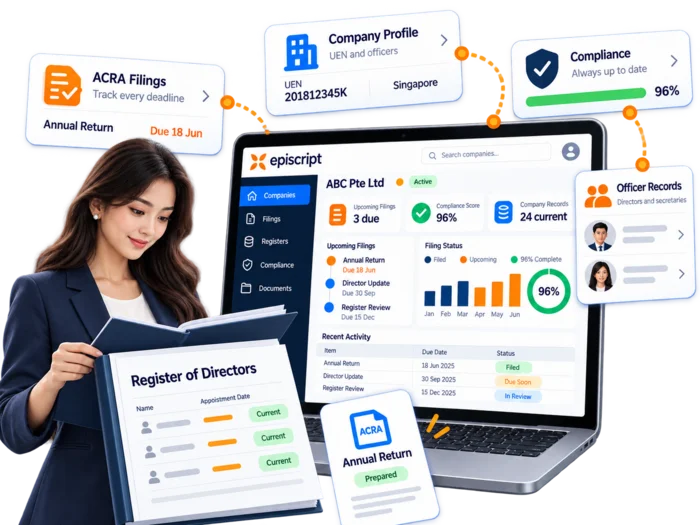
Statutory workflow
Incorporation, registers, AGMs, annual returns and tax dates are tracked for every client company, with each next task.
Open the company file and track each step to the BizFile submission.
Record officers, shareholders, share capital and registrable controllers.
Log share transfers, allotments, name changes and appointments as they happen.
Watch AGM dates, issue the notices and file the resolutions.
Follow each annual return from draft to completion on the filing dashboard.
Track tax dates beside the secretarial ones, with early reminders.
Company data
One record per client company holds its particulars, officers, share capital and shareholders, updating every register that uses them.

Every client company keeps one record: registration particulars, UEN, GST status, business activities, registered address and contact details. Staff update a field once, and the change reaches the registers, the documents and the reports that draw on it.

Directors, company secretaries, auditors and other officers sit against the company with their appointment and resignation dates. Add a role, remove one, and the system writes the change to the history. That trail supports both your filings and your own reporting.

Track issued and paid-up capital by share class and currency. Amend a class, record a fresh allotment, and the capital position updates across the register of members and the certificates you issue from it. Historical positions remain readable.

Individual and corporate shareholders share one module. Open a company and you see who holds what, which certificates were issued, and how ownership passes up through a corporate holder. Transfers write straight back into the register of members.
Paperwork
The system drafts your standard documents from the company record, and your team reviews, downloads and sends them.

Client onboarding
These modules handle signatures, new client set-up and identity checks on the people behind each company.
Send a resolution or a set of minutes generated by the system for signing. Each signatory is notified and signs on screen, the signature lands in that person's slot on the document, and the signed copy is saved against the company.
Upload a client's BizFile business profile and AI builds the company profile: its particulars, directors and other officers, capital, share details, members and shareholders, ready for your staff to check before it is saved.
Upload a person's identity document and they receive a link to verify themselves with a photo of their face, matched against the photo on the ID. The result is saved against the person for your due diligence file.
Deadlines and registers
These modules watch the dates and registers behind each of the company secretary's statutory duties →.
Every change in a company's history stays on record: share transfers, allotments, name changes and updates to particulars. Open a past change to read what happened, or start a new one from the company file.
Maintain the register of registrable controllers alongside beneficial ownership details, with registers of nominee directors and nominee shareholders built beside it where your firm keeps them. The system flags missing particulars and lapsed entries.
File with ACRA directly through an API, then track every filing on one dashboard: submitted, complete or still waiting on a client signature.
Automatic reminders go out before AGM, ECI and GST dates. You set the wording, the lead time and the follow-up rule, then track delivery. Firms using WhatsApp can send the same reminder through it.
Alerts fire when a company misses something: a late AGM, an overdue filing, an officer record with a missing or overdue update. Your team chases the client early, rather than finding the gap during a year-end review.
Watch expiry dates on tenancy documents, nominee agreements and director identity documents. The system warns you ahead of each date, so a renewal reaches the client before the document lapses.
CSP obligations
The registers a CSP keeps under the Corporate Service Providers Act, held per client company with a full audit trail.
Client access
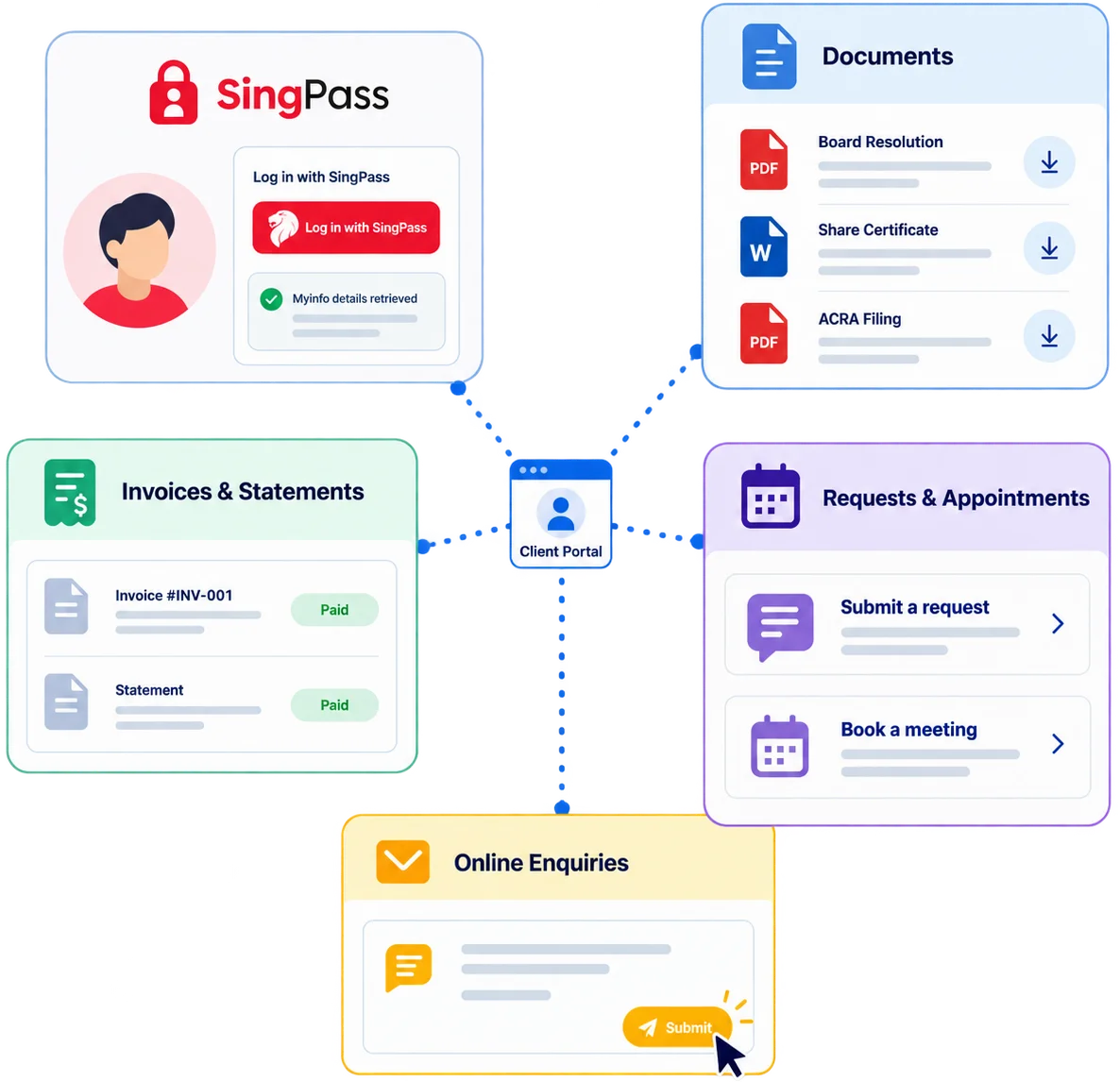
Clients sign in to download documents, read invoices, submit requests and complete forms, with every action logged.
Integrations
 Singpass, Corppass and Myinfo
 Xero
Xero QuickBooks
 InvoiceNow (Peppol)
 DocuSign
 WhatsApp Business
 Google Workspace
We scope each connection against the platforms your firm already runs. Where another product publishes a suitable API, we can quote that integration as part of the build.
Module library
Add these as your firm needs them, alongside the core modules above.
Raise the fee, chase it and reconcile it against the client record. Firms billing beyond secretarial work can widen this into our Invoicing Software.
Raise invoices for incorporation, annual fees or one-off jobs from the client file, settled through the portal.
Set recurring annual secretarial fees per client, generate invoices on schedule and track what falls overdue.
Recurring billing for retainers and ongoing services, with each invoice raised and sent on your cycle.
Receipts issue once payment lands, and clients read full statements and balances in the portal.
A ledger per client covering invoices, payments, credits and adjustments, with reports for reconciliation or audit.
Chase unpaid invoices automatically or by hand, with your own timing, wording and a record of replies.
The internal side of the firm: jobs, packages and client data.
Assign incorporation jobs to staff and track every timeline, with one dashboard showing what is due.
Bundle services, such as incorporation with a secretarial retainer, and assign them with pricing and expiry.
Nominee director and shareholder arrangements, with agreements, indemnities, expiry dates and documents held together.
Store client information, contracts, services, assigned staff and documents without a record limit, filtered as needed.
Capture new enquiries and keep in touch with clients once they sign.
Follow each enquiry from first contact to onboarding, with its status, likelihood and any drop-off reason.
Capture leads from your website, WhatsApp, social channels and calls, with automated replies and Excel import.
Run email campaigns to your client list, from deadline announcements to newsletters, using your own templates.
Send greetings on client birthdays and company anniversaries automatically, using a template you control.
What was said, when it was said, and what left the office.
Log client conversations and internal updates against the company file, with follow-ups assigned and reminded.
Record physical dispatches with the courier, date and signed receipt, where originals still travel by hand.
Answers your team currently digs out of spreadsheets.
Built-in reports on tax progress, AGM status and companies without an assigned agent, ready when needed.
Filter on any condition, such as companies without GST registration or incorporated in a chosen period.
Charts covering activity volume, staff throughput and client compliance, for the numbers you review monthly.
Capability
Each AI feature works with information already held in your system, and you see it running before it goes live.

AI reads an incoming document and pulls out the names, dates, share figures and addresses, then presents them for your staff to confirm before anything updates the register.

AI summarises a company file before a client call: the current officers, the shareholding, recent changes and anything outstanding, drawn from your own records.

AI drafts the reply to a routine client email using the company data behind it. Your staff edit the wording and send it, which keeps the tone yours.

AI scans registers for entries that look wrong: a missing controller, a shareholding that no longer adds up, an officer with no appointment date. Each finding lands as a task.

AI ranks the companies that need attention this week, using deadline dates, filing status and how long a request has waited on a client response.

AI answers client questions inside the portal, using information from their own company file. Anything it cannot answer routes to the staff member handling that client.
Questions
At minimum: company records, officers and shareholdings, statutory registers including the RORC, and document generation for resolutions and certificates. Add deadline tracking for AGMs and annual returns, plus an audit trail on every change. Other useful additions include a client portal with SingPass login, annual fee billing and accounting integration.
Yes. The system drafts them from the data already held against the company. Your team reviews the draft, downloads it as PDF or Word, then sends it to the client. Templates carry your firm's own wording rather than a fixed house style, and each finished document files back against the company record.
Yes. Documents generated by the system go to each signatory with a notification, they sign on screen, and each signature is placed in that person's own slot before the signed copy is filed against the company. Your firm decides which templates go out for electronic signing and which still need a wet-ink signature.
Yes. Statutory dates are tracked per company, with reminders before each one and alerts when something falls overdue. AGM dates, annual return status, ECI and GST deadlines sit on the same view. A filing dashboard shows what has been submitted, what is complete and what still waits on a client signature.
Yes. The register of registrable controllers comes as standard, with beneficial ownership particulars held against the company. Registers of nominee directors and nominee shareholders are built alongside it where your firm maintains them. Every entry carries its own history, so you can show what changed, who changed it and when.
These workflows sit outside the standard module set. Where your firm runs them, we scope the process with you and build it as its own phase. That covers the checks you carry out, including ID and face verification of directors and shareholders, the documents you collect, the risk rating you assign and the review dates that follow. The obligation stays with your firm, and the system keeps the record.
Yes. The client portal supports SingPass and Corppass login, so clients sign in without another password to remember, and details pull through from Myinfo. Once inside they download documents, view invoices and statements, submit requests and complete forms you have published. Every portal action writes to the activity log against that company.
Yes. Invoicing data syncs with Xero and QuickBooks, which keeps invoice status, payments and revenue aligned across both systems. WhatsApp and email campaigns connect the same way. We scope each integration against the platforms your firm actually runs, and quote others where the vendor publishes a suitable API.
The system is hosted in Singapore, with regular automated backups and secure access controls. Inside the application, access is granted by role and by client, documents carry their own permissions, and system activity is recorded through audit logs. Hosting and security arrangements can be scoped to meet your own policies.
Yes. We map your spreadsheets or your current database to the new structure, clean the data with you, then load company records, officers, shareholdings and document history. You check a test import before the live run, and nothing is dropped without your sign-off.
Yes. Most firms begin with company records, document generation and reminders. Registers, billing, the client portal, reporting and AI features follow in later phases. Each phase is quoted and released on its own, which spreads the cost across your financial year and keeps the first release small enough to test properly.
Most firms run on the first phase within a few weeks. Scoping and template work take the opening stretch, then data migration, testing and training follow. The number of modules and the depth of customisation set the pace. Larger builds with portals and integrations run longer, and we agree the schedule before work starts.
Yes. Our solutions are eligible for government grants. The EDGE grant supports project costs including software, and we will explain how your project fits and prepare the documents an assessor expects to see.
Related builds
Wider compliance programmes, policies and obligations, tracked beyond the statutory filings.
Read more Custom CRM SoftwareA fuller pipeline for firms chasing corporate work, with scoring, routing and campaign tracking.
Read more Project Management SoftwareTrack every incorporation, strike-off and annual filing job, with tasks and deadlines assigned across the team.
Read more Invoicing and paymentsBilling that reaches past secretarial fees, with statements, reconciliation and payment collection.
Read moreNext step
Book a demo and we will walk through the Corporate Secretarial System with a real company file.

What the Singapore Code of Corporate Governance asks of listed and private companies, how comply or explain works, and how to keep the records, approvals and registers that show your governance actually works.
Read the article →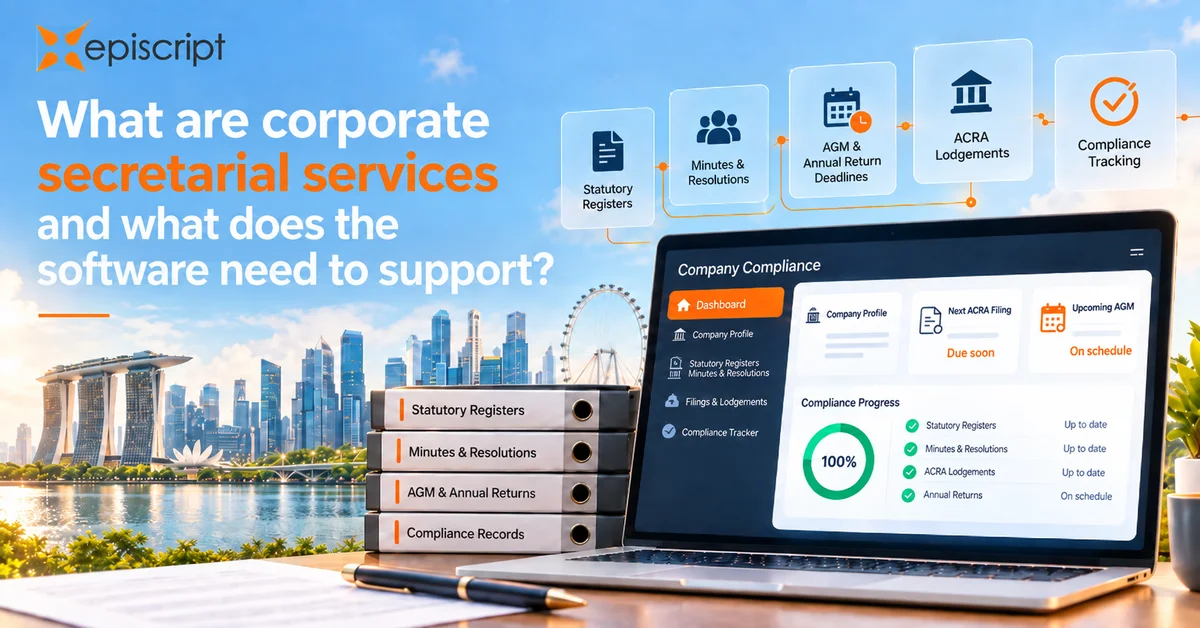
What a company secretary does in Singapore, the deadlines the work runs on, and the software feature each statutory duty needs.
Read the article →