Enterprise Resource Planning
Run sales, inventory, purchasing, invoicing, projects and payroll from one connected ERP System. Episcript builds the software around the way your business works, with every module sharing the same data.
Built for distributors, contractors and retailers who have outgrown their spreadsheets.
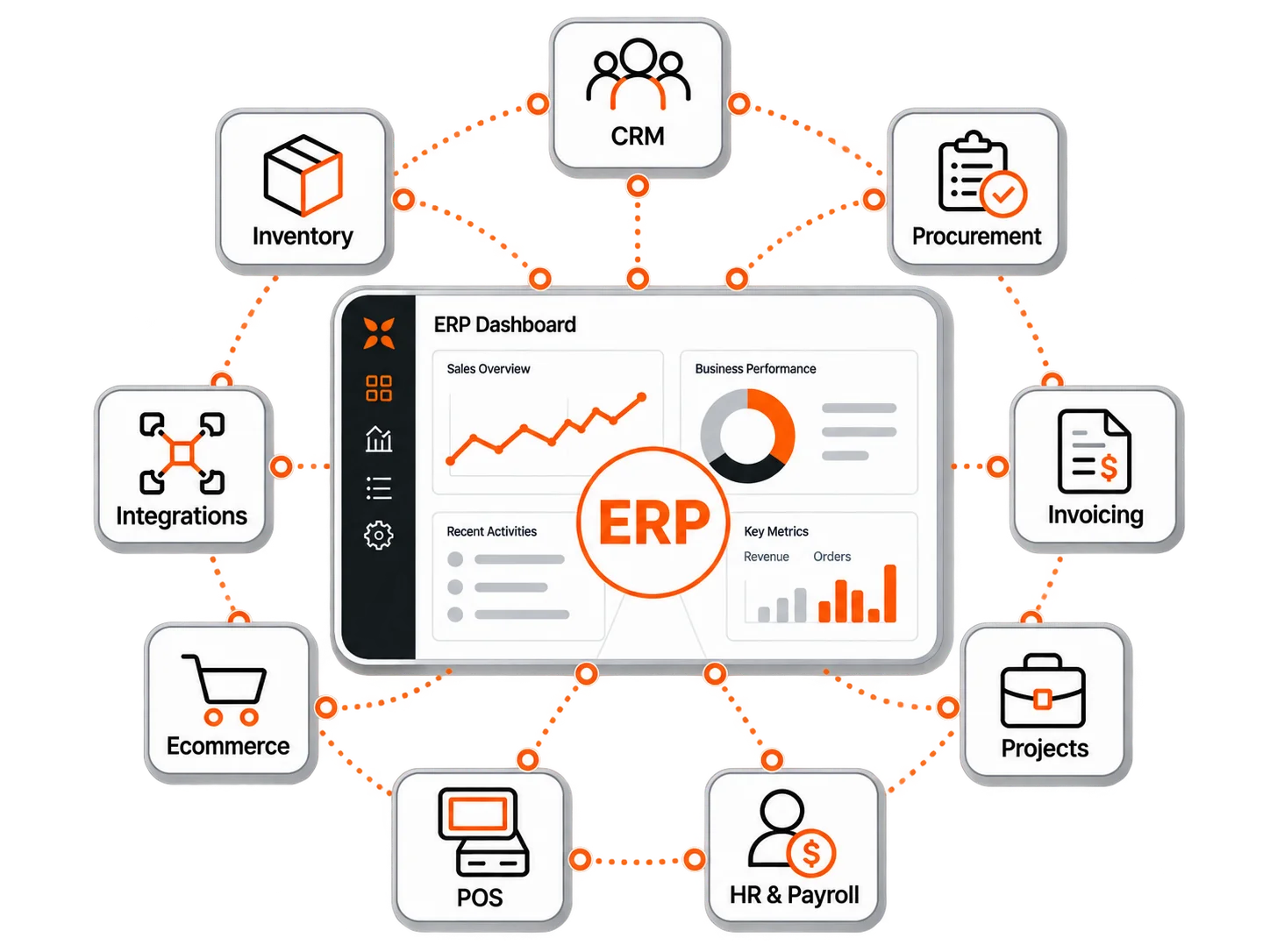
Start with the ERP modules your business needs now, then add more later without creating another data silo.
The CRM tracks every enquiry from first contact to signed order →. Leads route to a named salesperson, and quotations, calls and appointments sit on the contact record.
Stock counts update as goods move in, out and between warehouses. Serial numbers, stock codes and reorder alerts keep the shelf and the screen in agreement.
Issue GST invoices, credit notes and statements from the order they belong to →. Reminders go to late payers on the schedule you set, and payments post against the invoice as they clear.
Purchase requests travel through the approvers you name, then convert to purchase orders. Supplier records, budgets and three way matching sit in the same module.
Every contract, delivery order and certificate files against the record it belongs to. Indexed search finds a document by name, category or the words inside it.
Plan projects on a Gantt chart with dependencies, milestones and named staff. Time logged against a task feeds project costing and the client invoice.
Payroll runs from the same employee record that holds leave, claims and attendance. Payslips, CPF submissions and statutory reports issue on your own schedule.
Take payment at the counter, on a tablet or on the road. Sales write straight to stock, and staff commission calculates as the receipt prints.
Goods received, goods sold and money collected run through the same records. A sales order reserves the stock →, the delivery order prints from that line, and the invoice and payment follow.
Where stock control is the whole job, the inventory modules can be built first.

Each module goes further than the core above, with functions, workflows and reports defined around your requirements.
 CRM
CRMOpportunities and tasks sit beside the contact, with pipeline reports. Invoicing, inventory and projects read the same customer record, so nobody keeps a second list.
 Inventory management
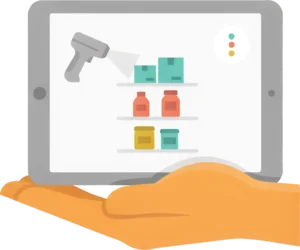
Access controls decide who can adjust a stock count, and reports break holdings down by location and product. Sales and purchase orders work against the same item records.
 Invoicing and payment management
Sales orders, purchase orders and delivery orders print from the same records as the invoice, each in your own layout. Multi-currency billing covers the customers you invoice overseas.
 Document management
Word, PDF, Excel, image, video and audio files upload by drag and drop. Access by user role keeps contracts and staff files from anyone who does not need them.
 Project management
Each project carries its own budget, and dashboards show progress, staff utilisation and how the project is performing against that budget.
 Procurement management
Goods received against a purchase order update inventory, and the supplier invoice passes to accounts from the same order. Expense tracking and management reports show spending against each budget.
 HR and payroll
Staff apply for leave and submit claims through self-service, and payslips follow a layout you configure. The module can extend to performance reviews and HR analytics.
 Point of sale
Each outlet runs its counters from the shared catalogue, with product lookup, barcode and QR scanning, returns, and staff permissions set by role.
 Ecommerce
Product variations, promotions and vouchers are set once in the ERP. Customers choose delivery or collection, overseas buyers pay in their own currency, and online sales report with the rest.
 Integrations
Accounting, email, calendar, messaging and marketing tools connect to the ERP. The data flow between them, and any automation on top, is scoped around the systems you already use.
The counter reads the warehouse's product list. Each sale drops the stock count and applies loyalty points, and split payments, refunds and credit notes post to the customer record.
The online store draws products, prices and stock from the ERP, and its orders join your sales team's queue. Customers pay by card, bank transfer or PayNow.
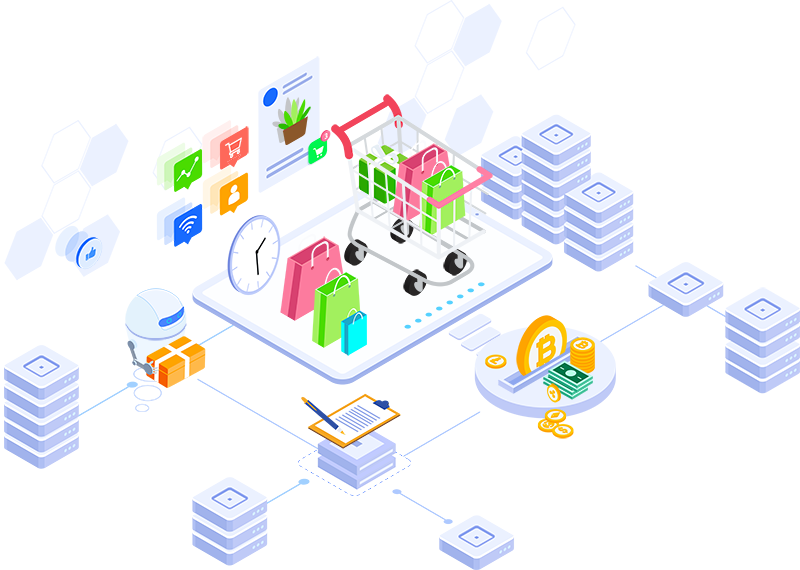
Each feature is scoped with you, added in its own phase and works with data already in your ERP.
AI reads each new enquiry, scores it against the deals you closed before, and assigns it to the salesperson most likely to win it.

AI drafts the reply, the quotation cover note or the payment reminder from the customer history in your ERP. Your staff edit the wording and send it.
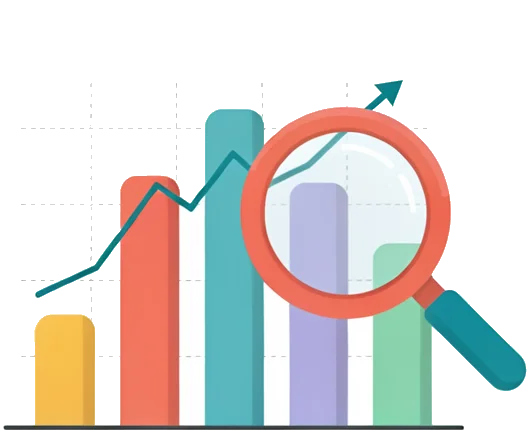
AI reads sales history and supplier lead times, suggests reorder points, and names the products likely to run short next month.
AI reads a supplier invoice or delivery order, pulls out the line items, and matches them against the purchase order before an approver signs.
With a packaged product such as SAP, Oracle NetSuite, Microsoft Dynamics 365 or Odoo, you license an edition, configure it and adjust your processes to fit.
A custom ERP is the other route: we write the modules around how your business already runs, all on one database.
A custom ERP makes sense when spreadsheets and separate apps stop keeping up: a distributor with two warehouses, a contractor costing projects against progress claims, or a retailer selling at the counter and online.
In a custom build the CRM is one module of the ERP, not a separate product. It handles the customer up to the signed order, then stock, invoicing and payroll carry on from the same record.
The better fit depends on how standard your processes are and how much control you need.
| Point of comparison | EpiscriptCustom ERP build | Typical productOff the shelf ERP |
|---|---|---|
| Fit to your process | Built around your workflows, terminology and approval rules | Best where your processes can follow the product's configuration |
| Customisation | Features, fields, reports and workflows built for your business | Standard options, add-ons and vendor extensions |
| Modules and scope | You choose the modules and functions in each phase | Sold in editions, bundles or subscription tiers |
| Pricing model | Agreed against a written scope, with hosting and support set out separately | Subscription or licence, shaped by users, editions and add-ons |
| Integrations | Built around the systems and data flows you already use | Strongest where a connector already exists |
| Changes after launch | New workflows scoped and built as your business changes | Depends on configuration, extensions and the vendor roadmap |
| Local requirements | GST, PayNow, CPF workflows and local integrations scoped into the build | Varies by product, edition and Singapore localisation |
| Support | Direct support from our Singapore team | Split between vendor, implementation partner and support plan |
Swipe to see the full table
We release the ERP in phases, starting with the module that costs your team the most time, and move your customers, stock, open orders and balances across.
Hosting is by Episcript or in your own environment, and our solutions are eligible for government grants.
We map the process with the people who run it, including the exceptions nobody writes down.
You receive the module list, the integration list and a price set against that scope.
Each phase is tested with your real workflows, and your records are imported and checked.
We train each role separately, and support follows the arrangement in your agreement.
Singapore's invoicing, payment, payroll and data rules are scoped into the build, not added afterwards.
GST invoicing is built in. Where InvoiceNow is required, it is scoped as an integration around IRAS requirements and the InvoiceNow-ready provider for the project.
Invoices and customer payments can support PayNow alongside cards and bank transfers, with payment records linked back to the customer and invoice.
CPF submissions and statutory payroll reports are prepared from the payroll run itself, rather than keyed into a separate form at month end.
Role-based permissions, access controls and activity logs can support your organisation's PDPA processes by controlling who can view or change business and customer records.
Invoices post to your accounting platform, calendars sync both ways, and WhatsApp messages go out from the customer record.
 WhatsApp Business
 Google Workspace
 Xero
Xero QuickBooks
 PayNow and payment gateways InvoiceNow (Peppol)
 DocuSign
 Zapier
A telephony service lets your team call and text from the customer record, and we confirm what each integration covers before you commit.
ERP Software brings core business processes into one connected system and database. Instead of running sales, inventory, purchasing, invoicing, projects and payroll in separate applications, an ERP lets those functions share the same records, workflows and reporting.
The price follows the modules you need, the number of users and what the ERP connects to. We scope the work with you first, then quote a fixed price against that written scope.
Our ERP, automation and digital transformation projects are eligible for government grants in Singapore. Tell us during scoping that funding matters, and we prepare the quotation and supporting documents around what the scheme asks for.
The timeline follows the number of modules in the first phase: a single module reaches your team quickly, while a full ERP is split into phases. You receive a written schedule with the quotation, with dates for every phase.
The ERP connects to Xero, QuickBooks, Microsoft 365, Google Workspace, Mailchimp, Facebook and WhatsApp. Invoices post to your accounting platform, calendars sync both ways, and staff send WhatsApp messages from the customer record.
Most clients begin with the modules that hurt most, often stock and invoicing, then add procurement, projects or payroll later. Every module shares one database, so a later addition reads the history already there.
The invoicing module issues GST compliant invoices, credit notes and statements, and records payments by PayNow, card or bank transfer. Reminders chase overdue invoices on your schedule, and multi currency invoicing covers overseas sales.
InvoiceNow connectivity can be scoped into the invoicing workflow where it is required. The approach depends on the applicable IRAS requirements and the InvoiceNow-ready solution or access-point provider used, so we confirm it during scoping.
We migrate customer records, stock lists, open orders and outstanding invoices from spreadsheets, accounting software or an older system. We clean and map the data with your team, run a test import, and you check the result before launch.
The ERP supports PDPA obligations through permissions, activity logs, consent records and access controls, and each role sees only the records it needs. Your own policies, retention rules and staff training carry the rest.
Enquiry scoring, drafted replies, stock forecasting, supplier invoice reading and anomaly alerts are the common requests. Each works with data already in your ERP, and we price them as their own phase and demonstrate them before launch.
A custom ERP is the right call when your process is the reason customers stay, or when no product fits it without heavy configuration. Packaged platforms reach your team sooner, while a custom build fits exactly.
Ownership, hosting and support are set out in the agreement signed before the build starts. Ask us about source code, hosting location and response times during scoping, and the answers go into the contract.
GST invoices, reminders, statements and payment records, running as a standalone system or inside the ERP.
Read more Procurement SystemPurchase requests, approval routing, supplier records and budgets, from request through to order fulfilment.
Read more Customer Relationship ManagementLeads, contacts, sales pipeline and follow-ups, with every customer linked to their orders and invoices in the ERP.
Read moreBring us the process that costs your team the most hours, and we will map it with you, name the modules it needs and quote against a written scope.