Custom Tuition Centre Management Software in Singapore

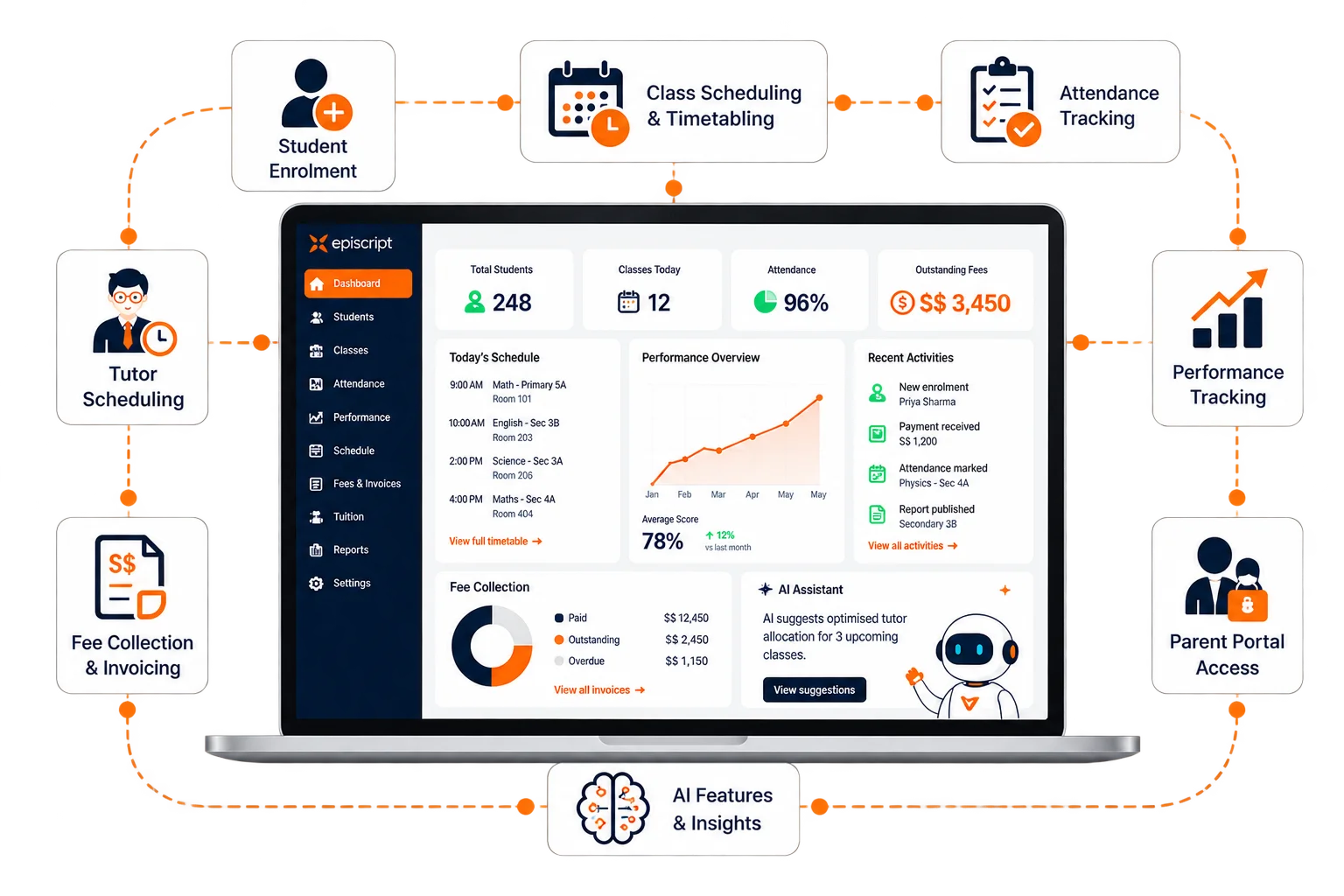
Manage enrolment, classes, attendance, fees, parent communication and reporting from one connected system. Episcript builds tuition centre management software around the way your centre already operates, with AI features added where they can genuinely reduce administrative work.

One connected system, from the first parent enquiry to renewal and payment.

Illustration of a tuition centre running classes, student records and fee collection from one system
  • Built and supported in Singapore
  • Shaped around your own class formats and fee rules
  • Parent portal, tutor rosters and fee collection in one system
  • AI features scoped with you and built in their own phase

Manage enrolment, classes, fees and parent communication in one system

Tuition centre management becomes harder when student, class, payment and parent information sits in separate systems.

Episcript brings those workflows into one tuition centre management system. Enrol a student once, and the same record can drive class allocation, attendance, invoices, parent access and progress reporting.

For centres running several branches or a wider mix of academic and enrichment programmes, our school management system extends the same approach across broader operations.

Connected operations

What changes when the records are connected

  • Enrol a student once and use the same record for classes, invoices and parent access.
  • Tutors mark attendance in class and update the register immediately.
  • Parents can check attendance, results and invoices through their own portal.
  • Fee reminders go out automatically based on the schedule you set.
  • AI features can draft progress summaries for tutors to review and send.

One connected student journey from enquiry to renewal

Every stage below writes to the same student record. Nothing is copied from one tool into the next.

  1. Enquiry

    Log the subject, level and source of every enquiry. The system routes it to the person who follows up that day.

  2. Trial and registration

    Book a trial lesson, capture parent consent and turn an accepted trial into a registration without retyping the details.

  3. Enrolment and class allocation

    Place the student in a class that fits the level, the timetable and the tutor. Waitlists and transfers run from the same screen.

  4. Attendance and progress

    Tutors mark the register and record results each lesson. Patterns surface early, while the term can still be saved.

  5. Fees and receipts

    Raise invoices on your billing cycle, take payment online or at the counter and issue receipts without extra typing.

  6. Reports and renewal

    Send a report a parent can actually read, then open next term's re-enrolment from that same record.

Core tuition centre management features

These are the core functions most tuition and enrichment centres use every day. Additional modules can be added around your operations as the system grows.

Illustration of a new student being added to a centre register

Enrolment and registration

Move a student from enquiry to a seat in a class. The system manages waitlists, transfers between classes and mid-term joiners, and every change keeps its own history.

Illustration of a weekly timetable grid with lesson slots marked

Course scheduling and timetabling

Build the term timetable, assign a tutor to each class and check room capacity before you publish. Clashes surface while you schedule, not on the first day of term.

Illustration of a class register with students marked present

Attendance tracking

Tutors mark the register in the classroom. An absence triggers a parent notification, and attendance reports show the pattern by class, by level or by tutor.

Illustration of a student progress chart with marks over a term

Performance tracking

Record marks, assignment results and tutor comments against the student record. Progress reports draw on that history and reach parents in one action.

Illustration of a tutor at a board with a weekly teaching roster beside

Tutor scheduling and assignment

Match tutors to classes by subject, level and availability. The roster shows who teaches what, where the gaps are and how many hours each tutor carries this term.

Illustration of a messaging app icon used for centre announcements

WhatsApp and email messaging

Reach parents where they already read. Announcements, absence notices and fee reminders go out by WhatsApp or email, from templates your centre writes and controls.

Parent portal showing a child's attendance, latest marks and an outstanding invoice
Fewer phone calls

Parent portal for attendance, progress, fees and communication

Parents sign in with their own credentials and see only the information linked to their child. The portal gives them secure access to attendance, progress, notices, invoices and payment information without having to contact your front desk for every update.

  • Secure access and user management, with a separate login for every parent
  • Attendance, assignments, grades and performance reports, updated as tutors enter them
  • Direct messages between parents and teachers, filed on the student record
  • Centre announcements, events and notices in one feed
  • Fee balances, invoices and online payment without a trip to the counter
  • Personalised feedback written by the tutor who teaches the class

Fee collection, invoicing and financial reporting

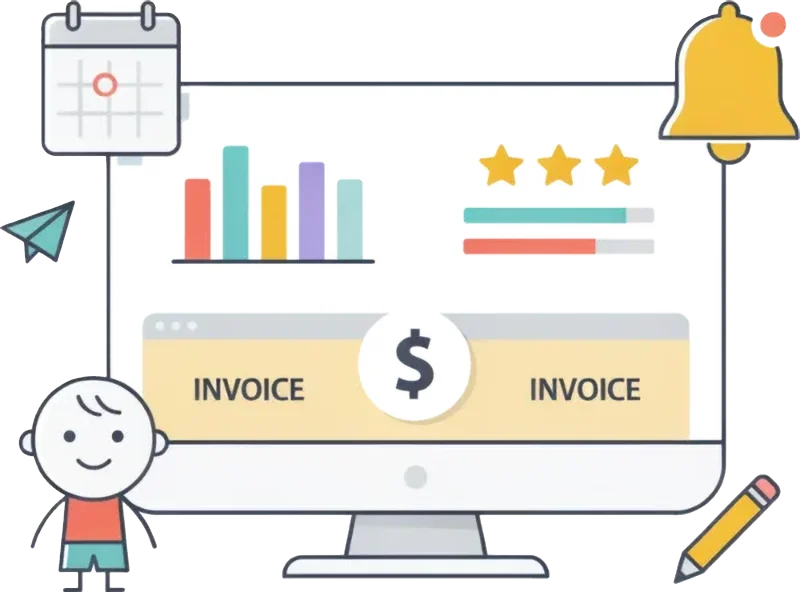
Fees are the one part of a tuition centre that cannot carry a gap. The system raises invoices on your cycle, records every payment against the student, chases what is outstanding and reconciles the month. Where your accounts team already runs a separate billing platform, our invoicing software connects the two.

  • Fee payment processing

    Take payment online or at the counter, handle several payment methods and send reminders automatically on anything still outstanding.

  • Invoicing

    Raise invoices for tuition fees, materials, late charges and discounts, then send them to the parent by email or through the portal.

  • Expense tracking

    Record centre expenses against categories you choose, which keeps the monthly budget review to a report rather than an evening of receipts.

  • Financial reports

    Pull revenue, expenses and outstanding fees for any period, by branch, by course or by level.

  • Financial reconciliation

    Match recorded payments against bank statements and flag the ones that do not agree, before they become a year end problem.

  • Financial forecasting and planning

    Read enrolment history and current bookings to project fee income for the coming term, which turns hiring and room decisions into arithmetic.

Tuition centre management software modules

The modules below cover student administration, classes, tutors, finance, communication, parent access and reporting. We scope the system around the functions your centre needs first, then extend it as your operations grow.

  • Profile management

    Hold complete parent and student records, including contact details, academic history and attendance history.

  • Enrolment and registration

    Run enrolment end to end, manage waitlists and handle transfers between classes.

  • Attendance tracking

    Mark attendance accurately, generate attendance reports and identify the patterns behind them.

  • Performance tracking

    Monitor student performance, produce progress reports and pass feedback to parents and teachers.

  • Communication channels

    Reach students and parents by email, messaging and notifications from one place.

  • Parent portal

    Give parents secure access to their child's academic records, attendance and communication tools.

  • Course scheduling

    Create and manage course schedules, assign teachers to courses and work around student preferences.

  • Curriculum management

    Develop and maintain course curricula, keep versions organised and track every update.

  • Lesson planning

    Support teachers as they plan lessons, with access to teaching resources and shared good practice.

  • Resource allocation

    Manage and allocate teaching resources, including textbooks, materials and technology.

  • Online learning tools

    Connect online learning platforms, open up digital resources and support blended learning.

  • Personalised learning pathways

    Set a path for each student based on their needs, learning style and academic progress.

  • Tutor profile management

    Hold complete tutor records, including contact details, qualifications, experience and availability.

  • Tutor scheduling

    Assign tutors to courses by expertise and availability, then manage their schedules from one roster.

  • Performance evaluation

    Evaluate tutor performance, record feedback and track the effect on student outcomes.

  • Compensation management

    Calculate tutor pay, calculate tutor pay and prepare payment records using the rules agreed for your centre.

  • Tutor training and development

    Keep tutor training records, resources and development activities organised in one place.

  • Communication hub

    Bring tutors, administrators and students into one hub for messaging and file sharing.

  • Inventory tracking

    Track stock levels of teaching materials, equipment and other supplies.

  • Inventory procurement

    Order materials from vendors, manage purchase orders and track deliveries.

  • Inventory allocation

    Allocate materials and supplies to classrooms and teachers according to what each one needs.

  • Inventory reports

    Report on stock levels, identify shortages before they bite and tighten your procurement.

  • Inventory disposal

    Manage the disposal of outdated or damaged materials responsibly, with a record of what left.

  • Asset management

    Track, maintain and repair centre assets, including furniture, equipment and technology, across their whole life.

  • Fee payment processing

    Accept payment online and offline, handle several payment methods and send reminders automatically.

  • Invoicing

    Generate invoices for tuition fees, other charges and discounts, then issue them to students or parents.

  • Expense tracking

    Record and categorise centre expenses, which turns budgeting into a report rather than a hunt.

  • Financial reports

    Produce financial reports, track revenue against expenses and read the centre's real position.

  • Financial reconciliation

    Reconcile bank statements against your own records and flag anything that does not agree.

  • Financial forecasting and planning

    Read historical data and current trends to forecast income and plan the term ahead.

  • Secure access and user management

    Give every parent their own login and their own view, with nothing from another family visible.

  • Real-time student progress tracking

    Show parents attendance, assignments, grades and performance reports as the centre records them.

  • Direct communication with teachers

    Let parents raise a question with the teacher through the portal, and file the exchange on the record.

  • Announcement and notification system

    Publish announcements, events and updates to parents through one notification feed.

  • Financial management and payments

    Show fees due, invoices and payment history, and take payment in the portal.

  • Personalised feedback and communication

    Send parents feedback written for their child, and record their communication preferences.

  • Email integration

    Send and receive centre email inside the system, with every message filed against the student.

  • WhatsApp integration

    Send approved WhatsApp messages to students, parents and tutors for reminders, notices and time-sensitive updates.

  • Notifications and announcements

    Send automated notifications and announcements to students, parents and teachers.

  • Parent portal messaging

    Give parents portal tools for updates on their child's progress and for messages to the centre.

  • Teacher collaboration tools

    Let teachers share resources, discuss student progress and hand over a class cleanly.

  • Customised templates

    Save templates for attendance notices, assignments, parent messages and announcements, which cuts the daily typing.

  • Data-driven insights

    Report on student performance, attendance, engagement and any other metric your management reviews.

  • Performance analysis

    Analyse performance data, spot trends and direct support to the students who need it.

  • Attendance analytics

    Track attendance patterns, surface problems early and act before a student drifts away.

  • Engagement analytics

    Measure engagement across classes and levels, then improve the sessions that lag.

  • Business intelligence

    Read centre operations as a whole, compare operational trends and support management decisions with current data.

  • Reporting dashboard

    Watch live and historical figures on one dashboard, built around the figures your management team reviews regularly.

Textbooks, assessment papers and equipment run on the same stock records we build into a custom ERP system.

A centre selling materials at reception does not need a second system for it.

Built in its own phase

AI features for tuition centre management in Singapore

AI features can work with the information already held in your tuition centre system, including marks, attendance, fee records and course information. We scope each feature separately after the core workflows are in place. The aim is practical assistance, such as drafting, flagging and suggesting, while your staff remain responsible for reviewing and approving the result.

AI drafting a term progress summary from a student's marks and attendance

Progress summaries

AI drafts a plain summary of a term of marks and attendance. The tutor reads it, changes a line where the wording is wrong and sends it to the parent.
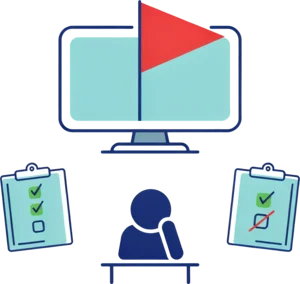
AI flagging a student whose weekly attendance has started to slip

Attendance alerts

AI flags a student whose attendance is slipping and shows the pattern behind the flag. Your team calls the parent while the term can still be turned around.

AI drafting a reply to a parent enquiry using the centre's own course and fee list

Drafted enquiry replies

AI writes the first reply to a new enquiry from your own course, level and fee information. Your front desk reads it, edits it and sends it within the hour.

A parent asking the portal assistant about a class time and receiving an answer

Portal assistant

AI answers the questions parents ask most, using information from your own system. Anything it cannot answer goes straight to a person at the centre.

AI suggesting a tuition centre timetable based on tutor availability, class demand and room capacity

Timetable optimisation

AI can suggest class times by reading tutor availability, student demand, room capacity and existing timetable constraints. Your administrator reviews the proposed schedule before anything is published.

AI forecasting tuition centre enrolment demand from enquiry, registration and renewal trends

Enrolment forecasting

AI can analyse enquiry, registration and renewal trends to estimate demand for the coming term. Management can use the forecast when planning class capacity, tutor allocation and new course openings.

AI generating exam questions and model answers from tuition centre teaching materials

Exam and worksheet generation

AI can create practice questions, worksheets, quizzes and model answers from your own syllabus, lesson materials and question bank. Tutors can review the generated content, adjust the difficulty and publish it to selected classes.

AI marking student answers and producing assessment results for tutor review

Automated marking and assessment

AI can mark supported question types, compare student answers against an answer key or marking criteria and produce an initial score with feedback. Tutors can review the results before they are released, while the system records performance by topic and over time.

Custom tuition centre software vs off-the-shelf systems

A practical comparison between custom tuition centre software and a standard packaged platform, including the areas where an off-the-shelf product may be the better fit.

Comparison of Episcript custom tuition centre management software with a standard off-the-shelf product
Point of comparison EpiscriptCustom build Typical productOff the shelf
Class formats and fee structures Trial lessons, term packages, per lesson rates and sibling discounts as you already run them You work within the formats the product supports
Deployment speed Phase one goes live early, and the rest follows in stages Ready to configure on the day you subscribe
Module flexibility You take what your centre runs and add the rest later The full feature set arrives as one package
Parent portal configuration You decide what parents see and when they see it Portal content follows the vendor's template
Communication channels Templates your centre writes, sent from your own addresses Limited to the channels the vendor has published
Singapore payment workflows PayNow, card payments, GIRO and reconciliation can be designed around the way your centre collects fees Payment methods depend on the integrations and workflows supported by the product
Reporting and dashboards Written around the figures your management reviews each month A standard report library, with export for anything else
AI and automation Scoped with you and built in their own phase, using your own centre data Available once the vendor releases them
Post-launch customisation We change the system when your process changes Requests join the vendor roadmap

Swipe the table sideways on a phone.

Implementation

Tuition centre software implementation and rollout

We use a phased implementation so your team can review working software early, validate migrated data and sign off each stage before the next part of the build moves forward.

Your staff test a live system, not a specification.

  1. 01

    Scoping session

    We sit with your admin team, list the classes, fee types and reports you run today, and agree what phase one covers.

  2. 02

    Data review and migration

    We take your student records, class lists and outstanding fees, clean them and load them into a test system for your staff to check.

  3. 03

    Build in phases

    We release the first modules for daily use while the rest are still in build. Your team gives feedback on a working system rather than on a document.

  4. 04

    Training and parallel run

    Your staff run the new system alongside the old one through a full billing cycle, until the numbers agree and the habit sticks.

  5. 05

    Handover and support

    We fix, adjust and extend after launch, under the support arrangement written into your agreement.

Connections

Integrations for payments, accounting, messaging and scheduling

Your tuition centre management system can connect with the payment, accounting, communication and scheduling tools your team already uses, reducing the need to maintain separate records across different platforms.

  • Xero Xero
  • Paypal PayPal
  • Credit Card Credit and debit cards
  • PayNow PayNow
  • GIRO
  • WhatsApp WhatsApp Business
  • Email and SMS gateways
  • Google Calendar Google Calendar
  • Zoom and Microsoft Teams Zoom and Microsoft Teams

Tutor contracts, leave and payroll records can be held against each tutor inside the same platform, or exported for the system your group already uses.

Tuition centre management software FAQs

Tuition centre management software brings the main administrative and academic workflows of a tuition or enrichment centre into one system. It can connect enquiries, student registration, class scheduling, attendance, tutor assignments, fee collection, parent communication, progress reporting and management reports so that the same information does not need to be maintained in several places.

Yes. Depending on the payment workflow selected for your centre, the system can support options such as PayNow, credit and debit cards, GIRO and other online payment gateways. Payments can be recorded against the relevant student or invoice, with receipts, outstanding balances and reconciliation handled from the same system.

A packaged product gives you a full feature set on day one, built around the way most centres work. A custom build starts from your own class formats, fee rules and reports. You take only the modules you need, and we change the system when your process changes rather than adding a request to a vendor roadmap.

Yes. We build the class and fee rules around what your centre already offers, including trial lessons, term packages, per-lesson rates, sibling discounts and make-up credits. Tell us those rules during scoping and they go into the build. Adding a new fee type later is a change we make for you.

The system raises invoices on your billing cycle, records payments against the student record and chases what is outstanding. Parents pay online through the portal or at the counter, and receipts issue without extra typing. At month end your staff reconcile payments against bank records, then pull revenue, expense and outstanding fee reports.

Yes. Each parent signs in to their own portal and sees only their own child. Attendance, marks, progress reports, announcements, invoices and payment history all appear there. Parents message the tutor from the same screen, and that exchange stays on the student record for your staff to read later.

Yes. We wire WhatsApp and email into the system, and your staff send announcements, absence notices, fee reminders and progress updates from templates your centre controls. Every message logs against the student record, which means the next person to open that record can see exactly what the parent has already been told.

AI features work with the information in your own system. Common uses include progress summaries, attendance alerts, drafted enquiry replies and a parent portal assistant. AI can also suggest timetables, forecast enrolment, generate practice questions and model answers, and assist with marking and student assessment. We scope each feature with you and build it in its own phase.

Yes. We take your current records in whatever format they sit in, clean them and load them into a test system for your staff to check. Student profiles, class lists, attendance history and outstanding fees all come across. You review the loaded data before the system goes live, not afterwards.

The timeline depends on how many modules phase one covers and how clean your existing records are. We agree the schedule with you before the build starts, then release in phases so your team uses the first modules while the rest are still being built. One centre moves faster than a group with several branches.

Yes. The same platform can be configured for tuition centres, enrichment centres and learning businesses with several branches. Each branch can keep its own classes, tutors, timetable and fee collection, while head office views group-wide reports. Permissions control who can see or edit each part of the system, and student transfers can retain the full history.

The system supports your obligations through permissions, access controls, consent records and activity logs. Staff reach only the records their role allows, and every change leaves a trail with a name and a timestamp on it. Compliance still rests on your own policies and on how your team handles data, and the software supports that work.

Pricing follows the scope: the modules in phase one, the integrations and the volume of data we migrate. We quote after the scoping session rather than before it. Ownership, support cover and hosting are set out in the agreement we sign with you, and we walk you through those terms before any work starts.

Build a tuition centre management system around the way you operate

Tell us how your centre handles enrolment, classes, attendance, fees and parent communication today. We will map those workflows into a practical first phase, identify the integrations you need and price the custom work clearly. Episcript builds and supports the system in Singapore, so you work directly with the team responsible for the software.