
Dealer and distributor management
Episcript designs, builds and supports Dealer Management Systems in Singapore: dealer onboarding, B2B ordering, pricing and credit, stock, schemes and warranty claims, with AI we build in to read orders, answer dealers and forecast demand.
For brands, importers and distributors that sell through dealers, and for the dealers themselves.

Core modules
The modules most brands and distributors start with, all working from one dealer record.

Take each new dealer from application to approval, with company details, UEN, contacts, territories, signed agreements and documents held on one dealer record.

Dealers log in to place orders and reorders from their own price list, see the stock available to them, track deliveries and download invoices and statements.

Set price lists, tier discounts and payment terms per dealer or dealer group, and the system holds any order that would take a dealer past its credit limit.

See stock at your own warehouses and, where dealers share it, at each dealer, with serial or batch numbers traced from goods receipt to the dealer that sold the item.

Define volume rebates, sell-in schemes and promotions with their dates and targets, and the system works out what each dealer has earned from its actual orders.

Dealers submit warranty and service claims with the serial number, photos and invoice in the portal, and each claim is checked against the warranty period before approval.
Dealer portal
Every dealer gets its own login to order, reorder and check its account, using the prices, minimum quantities and stock you allow it to see. Each order goes straight into the Order Management Software for approval, picking and delivery, with nothing retyped from email or WhatsApp.

Pricing and credit
Every order is priced and checked against the dealer's own terms, and invoices can run through our Invoicing Software.
Separate prices for distributors, dealers and sub-dealers
Price breaks applied on every order line
Agreed prices for one dealer, with start and end dates
Orders over the limit held for approval
Terms per dealer, with a due date on every invoice
Ageing by dealer, with orders held while a balance is overdue
New prices set ahead and applied from the date you choose
Dealers pay open invoices by PayNow or card in the portal

Stock visibility
Stock is tracked at every level of the channel: your warehouses, goods in transit and, where dealers share it, stock at each dealer outlet. Your own figures and the dealer portal run on the same Inventory Management System, and dealers see only stock that is free to sell.
Warranty and service
Every claim follows the same steps, from the dealer's portal to a credit note.
The dealer enters the serial number, fault, photos and invoice in the portal.
The system checks the sale date against the warranty period and flags a serial already claimed.
Your service team approves, rejects or asks for the part back, with every decision logged.
An approved claim raises a credit note or replacement order, and claim costs are reported by product.
By role
Each person sees what their role needs, from the same dealer records.

Sales by dealer, territory and product, targets against actuals and overdue balances on one dashboard, with AI answering questions about your own data.

Dealer records, visit notes, targets and scheme progress for each territory, with new dealer applications and order approvals waiting in one queue.

Orders from the portal, email and WhatsApp in one list, credit checked before release, with invoices and statements raised from each order.
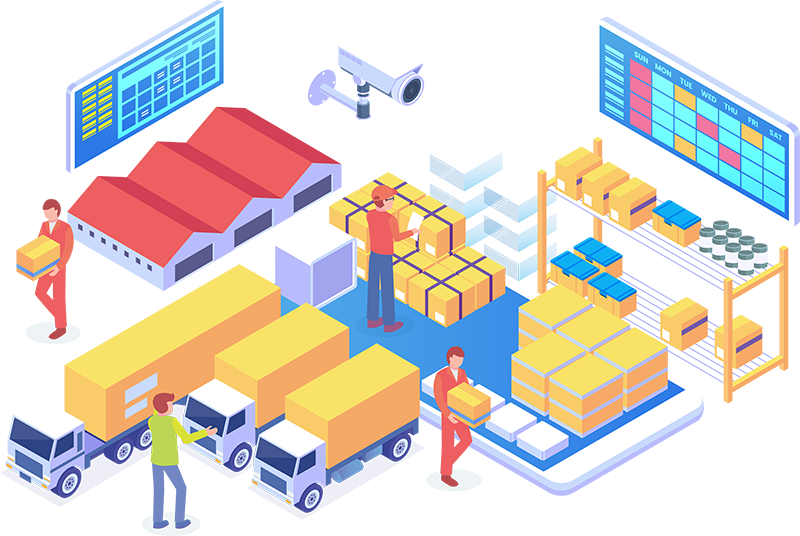
Approved orders ready for picking, with delivery addresses for each dealer outlet and short stock allocated by the rules you set.

Warranty and service claims with serials, photos and repair history, and returned parts tracked against each claim until it closes.

Their own prices, stock, orders, invoices, schemes and claims in the portal, with answers to routine questions on WhatsApp.
Built to order
Built in phases using information from your system, with staff approving every output.
Module library
Add these as your dealer network grows, one phase at a time.
Every dealer placed in its territory, with targets you can track.
Map distributors, dealers and sub-dealers to territories, with each manager seeing only the dealers in their region.
Set targets per dealer and product line, with progress shown to each dealer in its own portal.
Log visits, calls and follow-ups against each dealer, or run the whole dealer relationship in our CRM Software.
Store dealer agreements with territory and expiry dates, with a reminder before each one is due for renewal.
Run dealers in Singapore and other countries on one system, each with its own currency, prices and tax.
Rebates and schemes calculated from the orders dealers actually place.
Calculate rebates on quarterly or annual purchases for each dealer, and issue them as credit notes or payments.
Run time-limited schemes with free goods or extra discounts, applied automatically to qualifying portal orders.
Award dealers points on purchases to redeem for rewards, with the scheme run in our Loyalty Programme Software.
Track the marketing funds allocated to each dealer, with spend claims checked against receipts before payment.
Every order followed from the portal to the dealer's door.
Keep back-ordered lines open on the dealer's order and release them for delivery when stock arrives.
Group dealer orders into delivery runs by area, with delivery orders and signed proof of delivery kept.
Approve dealer returns with a reason code, then restock, replace or credit each item by its condition.
Dealers look up parts by model or serial number and order them alongside products in the same portal.
See which dealers grow, which slip and what each one owes.
Rank dealers by sales, growth, overdue balance and claims, by territory, product line or period.
Compare what you sold to each dealer with what it sold on, where dealers report their sales.
Sync invoices, credit notes and dealer payments with Xero, QuickBooks or the accounting system you already run.
Send invoices to dealers as InvoiceNow (Peppol) e-invoices where the dealer is registered to receive them.
Integrations
Connect the system to the accounting, payment, messaging and signing tools you and your dealers already use.
 WhatsApp Business
 Google Workspace
 Xero
Xero QuickBooks
 PayNow and payment gateways InvoiceNow (Peppol)
 DocuSign
 Zapier
Custom build
Packaged Dealership Management Systems suit businesses whose pricing, schemes and claims match the product. When yours do not, we build the system around them, on its own or as part of custom ERP Software, and change it when your channel changes.
Questions
A Dealer Management System, or DMS, runs the business between a brand or distributor and its dealers: dealer records, portal ordering, pricing and credit, stock, schemes and warranty claims. It suits vehicle, machinery, equipment and consumer goods dealers.
The best Dealer Management Software is the one that fits how you price, supply and support your dealers. A packaged product suits standard processes, and a custom build fits when your schemes, credit rules or claims keep breaking that standard.
A Dealer Management System can do the work of a dealer CRM, with dealer records, visits, follow-ups and targets kept beside orders and claims. For full sales pipeline management, we connect it to our CRM Software.
A Distributor Management System focuses on the distributor's own stock, orders and deliveries, while a Dealer Management System adds the dealer side: portal ordering, dealer pricing, schemes and claims. We can build both as one system.
Cost depends on scope: the modules in the first phase, the portal features your dealers need, the data to migrate and the systems to connect. We quote after a scoping session and price each phase separately.
It depends on the first phase. A release covering dealer records, pricing and portal ordering goes live sooner than a full build with schemes, claims and integrations, and we give you a schedule once the scope is agreed.
We import them for you. We map your spreadsheets or current system to the new structure, run a test import for you to check, then load the final dealer, price and balance data on a cut-off date you agree.
Our solutions are eligible for government grants. We explain how the schemes apply to your project and what the agency looks for, so you can budget with the full picture in front of you.
The system connects to Xero, QuickBooks and other accounting software, so invoices, credit notes and dealer payments sync without retyping, and invoices can go out as InvoiceNow (Peppol) e-invoices to dealers registered to receive them.
AI features can be added, each scoped with you and built in its own phase using information from your system. They cover reading emailed orders, answering dealers on WhatsApp, drafting, forecasts and anomaly checks, all approved by staff.
Each dealer logs in to see only its own prices, orders, invoices and claims, and staff see only what their role allows. Permissions, activity logs and access controls also support your PDPA obligations alongside your own policies.
Related solutions
 Order Management Software
Orders from every channel approved, picked, delivered and invoiced in one place.
Read more Inventory Management
Stock levels, reorder points and stock value across every location.
Read more Warehouse Management System
Bin locations, picking and transfers between warehouses for dealer orders.
Read more Custom ERP Software
Sales, purchasing, stock and accounts in one system built around your business.
Read moreNext step
Bring a price list and last month's dealer orders, and we will show them placed, priced and approved in the system, with AI reading emailed orders.