Clinic Management System in Singapore

Episcript builds clinic management systems in Singapore around the way your clinic runs a session: registration, appointments and the queue at the front desk, consultation notes in the room, then dispensing, billing and panel claims at the counter, all on one patient record. AI features such as drafted consultation notes can be added in their own phase.

Built for GP, specialist, dental, aesthetic, physiotherapy and TCM clinics.

  • Built and supported in Singapore
  • Eligible for government grants
  • PayNow, NETS and card payments at the counter
  • AI features that work with your own clinic records
  • Connects to your accounting and messaging tools
Clinic management system bringing the appointment book, patient queue, consultation notes and clinic billing together on one screen

The patient visit

Run every patient visit in one clinic management system, from booking to follow-up

Booking, registration, the queue, consultation notes, dispensing, billing and follow-up all work from one patient record, which means the front desk, the doctor and the dispensary see the same visit.

  1. 1

    Book or walk in

    Patients book online or by phone, and walk-ins join the same list with a queue number.

  2. 2

    Register and check in

    The front desk confirms contact details, allergies and who is paying: the patient, a panel company or an insurer.

  3. 3

    Consult

    The doctor reads the history, writes the note and orders medicines, tests or a medical certificate from one screen.

  4. 4

    Dispense

    The prescription reaches the dispensary when the doctor saves it, with labels printed and stock deducted by batch.

  5. 5

    Bill and claim

    The bill takes its lines from the visit and splits the charges between the patient and the panel or insurer.

  6. 6

    Follow up

    Review dates, recall reminders and results go back to the patient, and the visit stays on the record for next time.

Front desk and records

Patient registration, appointments and queue management

Most of a clinic's bad days start at the counter: the double-booked doctor, the walk-in who waited forty minutes without anyone noticing, the returning patient registered twice. These modules keep the front desk and the patient record in order.

Registration form on a tablet with a patient's contact details and allergies filled in

Patient registration

New patients fill in their details on a tablet at the counter or through a link sent before the visit. Returning patients are found by name, phone number or date of birth, and allergies, next of kin and the paying party are captured once and checked at every visit.

Appointment calendar split into columns for each doctor and treatment room

Appointment scheduling

Each doctor, therapist and treatment room keeps its own calendar, with the slot length set by visit type: a short GP review, a longer dental filling, an hour of physiotherapy. Patients can book through online appointment booking on your clinic website →, and reminders go out before the visit.

Clinic queue display calling the next number with waiting times beside each patient

Queue management

Walk-ins and appointments sit in one queue, and the front desk sees who is waiting, for which doctor and for how long. Numbers are called on a display screen, and an SMS tells a patient who has stepped out that their turn is close.

Patient record folder holding visit history, prescriptions, allergies and scanned letters

Patient records and documents

One record per patient holds every visit, diagnosis, prescription and allergy →, along with scanned referral letters, consent forms and photographs. Staff search it by any field, and permissions decide who may open the clinical notes and who sees only the appointment book.

Medical certificate and referral letter generated from a consultation, ready to print

Medical certificates and referral letters

MCs, referral letters, time chits and memos are generated from the consultation with the doctor's name and the dates already filled in. Each one is numbered and logged against the visit, and a patient who loses an MC gets a reprint from the record rather than a rewrite.

Lab report attached to a patient record with an abnormal value flagged for review

Lab and imaging results

Results that arrive as files or scanned reports attach to the patient record and land in the ordering doctor's review list. The doctor marks each one as reviewed, and an abnormal result can be flagged for a call-back by the nurse.

In the consultation room

Consultation notes and electronic medical records for every specialty

A consultation screen should match how your doctors work, rather than forcing a dentist into a GP's template. Before typing a word, the doctor sees the last visits, current medicines and allergies, then writes the note, records the diagnosis and orders medicines, tests and an MC from the same screen. Doctors who would rather dictate than type can have AI draft the note for them to check and sign.

  • GP and family medicine. Structured notes, chronic disease review templates and vaccination records with recall dates.
  • Specialist clinics. Incoming referrals, procedure notes and letters back to the referring doctor.
  • Dental. Tooth charting, treatment plans priced in stages and X-ray files on the record.
  • Aesthetic. Before-and-after photographs, consent forms signed on a tablet and product records for each session.
  • Physiotherapy. Assessment and progress notes, and exercise programmes sent to the patient.
  • TCM. Diagnosis notes, herbal formulas by weight and acupuncture records.

If you are still weighing up how an EMR differs from an EHR, our guide sets out what each term covers for a Singapore clinic.

Consultation screen showing a patient's past visits and allergies beside the doctor's note, diagnosis and prescription

At the counter

Clinic billing, panel claims and insurance claims

Clinic billing is rarely one patient paying one bill. A panel patient pays the co-payment while the company is billed at month end, a physio package draws down one session at a time, and an insurer wants its own claim. The bill takes its lines from the consultation, the dispensary and any procedure, and where finance runs elsewhere the figures pass to our invoicing software or to your accounting system.

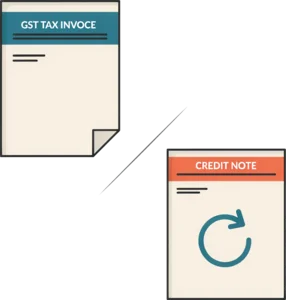
Itemised clinic bill and GST tax invoice

Itemised bills and GST invoices

Consultation, medicines, procedures and tests appear on one itemised bill, with subsidies or scheme deductions as their own lines and GST applied where your clinic is registered.

Monthly statement prepared for a panel company

Panel and corporate billing

Each panel company carries its own coverage, co-payment, visit limits and approval rules, applied at the counter. The month's visits are then gathered into one statement per company.

Insurance claim form prepared with supporting documents attached

Insurance claims

Claims are prepared from the visit record with the diagnosis, itemised charges and supporting documents attached, then tracked from submitted to paid or rejected.

PayNow and card payment taken at the clinic counter

Payments and end-of-day closing

Patients pay by PayNow, NETS, card or cash, and each payment is matched to its bill. The end-of-day closing compares what the system expects with the cash drawer and the terminal.

Treatment package balance drawn down session by session

Packages, deposits and session credits

Aesthetic courses, physio packages and dental treatment paid in stages are held as credits and drawn down visit by visit, with the balance shown to the front desk.

List of overdue patient balances and panel statements with reminders scheduled

Outstanding balances and statements

Unpaid patient balances and overdue panel statements sit on one list with their age, and reminders go out on the schedule you set.

The dispensary

Dispensing and drug inventory management

The dispensary is where a clinic quietly loses money: expired stock written off, a common antibiotic out of stock on a Saturday morning, a selling price that no longer matches the supplier's invoice. Here, dispensing is tied to stock, and every item handed over comes off the shelf count and onto the bill at the same moment.

Groups that buy centrally for several branches can connect dispensing to a custom ERP system for purchasing and stock accounting.

  • Prescriptions sent to the dispensary

    Orders arrive from the consultation room as the doctor saves them, and labels print with the dosage, frequency and any warnings.

  • Allergy and duplicate checks

    A warning appears when a prescribed medicine matches a recorded allergy, or repeats something dispensed to the same patient a few days earlier.

  • Stock by batch and expiry date

    Stock is tracked by batch, dispensed oldest first, and listed by expiry date so short-dated items can be used or returned in time.

  • Reorder levels and purchase orders

    An item that falls below its reorder level raises a purchase order to the supplier, and goods received update the count and the cost price.

  • Drug master list and pricing

    One list of medicines and consumables holds the cost, the selling price for each patient type or panel, and the default dosage a doctor can override.

  • Log for closely controlled medicines

    Medicines that need closer control keep their own record of what was received, what was dispensed and to which patient.

Patients and owners

Patient portal, reminders and clinic reporting

A patient portal takes the routine calls off the front desk. Patients book and reschedule, complete registration and consent forms before they arrive, download receipts and MCs, and read the instructions their doctor sent after the visit. Parents can manage their children's appointments from one family account.

  • Appointment reminders by SMS, email or WhatsApp, say two days before and again on the morning
  • Recall reminders for a six-monthly dental check or a yearly chronic disease review
  • Answers to routine questions on opening hours and visit preparation, from an AI assistant where you add one
  • Daily takings by payment method, visits per doctor and panel revenue
  • No-show rates, stock value and outstanding claims, by branch or across the group

Aesthetic and dental clinics that work enquiries from advertising before a first visit often pair the clinic system with a custom CRM system for the sales side.

Patient portal on a phone showing an upcoming appointment, a reminder and a downloadable receipt

AI capability

AI features for clinic management software in Singapore

AI features for clinic management software work best on the paperwork that eats into consultation time. Each one is scoped with you and built in its own phase, using information from your own clinic records, and a doctor or staff member reviews the output before it is saved or sent.

Drafted consultation notes

The doctor dictates or types shorthand, and AI drafts a structured note in the clinic's template. Nothing reaches the record until the doctor has checked and signed it.

Drafted referral letters and memos

AI drafts the referral letter or memo from the consultation note, the history and the current medicines, leaving the doctor to edit the wording rather than write it.

No-show prediction

AI scores each appointment on its likelihood of a no-show from past attendance, visit type and booking lead time. Those patients get an extra reminder, and the front desk knows which slots to fill.

Drug stock forecasting

AI reads dispensing history and the time of year to suggest order quantities, which helps the dispensary stock up before the usual seasonal rise in coughs and flu.

Claim checks before submission

AI checks each panel or insurance claim for a missing diagnosis, an expired panel, a visit over the limit or a missing document, before the claim goes out and comes back rejected.

Patient enquiry assistant

AI answers non-clinical questions on opening hours, booking, fees and visit preparation through the portal or WhatsApp. Any clinical question passes straight to the clinic team.

Buying decision

Custom clinic management software compared with off-the-shelf clinic software

Packaged clinic software starts quickly and covers the common case. A custom build follows your own specialty, panel agreements and branches. The table sets out where they differ.

Comparison of a custom clinic management system built by Episcript with typical off-the-shelf clinic software
Point of comparison EpiscriptCustom build Typical productOff-the-shelf clinic software
Consultation templates Built around your specialty's notes, charts and forms Templates provided by the product, adjusted within its settings
Panel and insurance billing rules Coverage, co-payments and limits applied as each agreement sets them Depends on the billing rules the product supports
Branches, doctors and rooms Set up the way your practice or group is organised Available within the structures and plans the vendor offers
Payments at the counter PayNow, NETS and cards through your own bank and terminals Payment options depend on the vendor's supported integrations
Accounting and messaging Connected to the accounting software and messaging tools you already run Usually limited to the vendor's connectors or API
AI features Scoped around your own clinic records and built in its own phase AI capabilities are those the vendor provides
Cost model Quoted as a project with agreed hosting, licensing and support terms Usually a subscription that may vary by doctor, user, branch or plan
Changes after launch The same team adapts workflows as the clinic adds services or branches Major changes depend on the vendor's roadmap, though settings can change at once
Speed to start Needs scoping, design and a build before the first release Usually faster to start, because the product already exists
Best fit Clinics with their own specialty workflows, panel agreements, branches or integrations Clinics that can work comfortably within a standard product

Swipe the table to see both columns

Module library

Clinic management system modules and features

Choose a group to see what sits inside it. We build the modules your clinic needs first and add the rest as it grows. If you are still deciding what a clinic management system should do for your practice, our guide covers the basics.

Front desk and scheduling

The counter runs on time, whoever is on shift.

  • Doctor and therapist rosters

    Set each clinician's sessions, leave and locum cover, and the appointment book opens and closes slots to match.

  • Room and equipment booking

    Book treatment rooms, dental chairs and machines alongside the clinician, which stops two procedures needing the same laser at the same time.

  • Walk-in and appointment rules

    Hold a share of slots for walk-ins at peak hours, cap online bookings per session and set how far ahead patients may book.

  • Pre-visit forms and consent

    Send registration, health questionnaires and consent forms before the visit, so they are complete and on the record when the patient arrives.

Clinical records

Notes, charts and forms that match the specialty.

  • Specialty templates and body charts

    Templates for each visit type, with body, tooth or face charts the clinician marks directly, saved as part of the note.

  • Clinical photographs

    Photographs taken on a clinic tablet go straight to the patient record, side by side for comparison, with the patient's consent recorded against them.

  • Vaccinations and chronic disease reviews

    Vaccinations given and the next dose due, and review dates for patients on long-term care, each with a recall reminder.

  • Referral management

    Track referrals in and out: who referred the patient, what was sent, and whether the reply letter has come back.

Pharmacy and stock

Stock that matches the shelf, the bill and the supplier.

  • TCM herbal dispensing

    Herbal formulas prescribed and dispensed by weight per dose, priced from the herb list and deducted from stock gram by gram.

  • Procedure consumables

    Dental materials, aesthetic products and dressings deducted per procedure, which shows the true cost of each treatment.

  • Stock take and adjustments

    Count stock on a tablet, compare it with the system and approve adjustments with a reason, so write-offs leave a trail.

  • Transfers between branches

    Move stock from one branch to another with both counts updated, instead of a phone call and a handwritten note.

Billing and finance

Every payment at the counter traced back to a bill.

  • Price lists by patient type

    Separate prices for cash patients, each panel, staff and family members, applied automatically from the paying party.

  • Panel statements and claim batches

    Monthly statements per panel company and claim batches per insurer, with each visit's documents ready to attach.

  • Refunds, voids and approvals

    A refund or a voided bill needs a reason and an approver, and both appear in the day's closing report.

  • Accounting export

    Daily takings, panel receivables and stock purchases pass to your accounting software, which removes the month-end retyping.

Patient engagement

Patients come back when the clinic remembers them.

  • Recall campaigns

    Find patients overdue for a check, a review or the next session in a package, and send them a reminder in one run.

  • Patient feedback

    A short survey after the visit, with scores by doctor and branch, and low scores passed to the clinic manager the same day.

  • Family accounts

    One portal login for a parent who books for the whole family, while each person keeps a separate clinical record.

  • Consent and messaging preferences

    Each patient's choice of reminder channel and marketing consent is recorded, and every message respects it.

Administration and security

Who sees what, and at which branch.

  • Multi-branch setup

    Each branch keeps its own clinicians, rooms, hours, stock and takings, while patients keep one record across the group.

  • Roles and permissions

    Doctors, nurses, front desk, dispensary and management each see the screens and records their role needs, and nothing more.

  • Activity log

    Every view, change and export of a patient record is logged with the user and the time.

  • Management dashboard

    Visits, revenue, panel income, stock value and no-shows for the owner, by day, doctor or branch.

Getting live

Implementation, data migration and what determines the cost

We release a clinic management system in phases. The front desk, consultation, dispensing and billing come first, because a clinic cannot run a session without them. The portal, AI features and extra branches follow once the core is steady and your staff are comfortable with it.

The cost follows the scope: the modules in the first release, the specialties and branches involved, your panel and insurance billing rules, the volume of records to migrate and the integrations required. We quote against an agreed specification rather than a price list.

How a build runs

From the first clinic visit to go-live

  1. 1
    Scoping and workflow mapping

    We follow one ordinary session through the front desk, the consultation room, the dispensary and the counter, then agree what the first release must cover.

  2. 2
    Screen design and sign-off

    Your doctors review the consultation screen, the bill and the MC layout before development starts, when changes cost least.

  3. 3
    Build the core modules

    Registration, appointments, the queue, consultation notes, dispensing and billing, built against your own price lists and panel agreements.

  4. 4
    Data migration and reconciliation

    We import patient details, visit history, allergies, the drug list and outstanding balances, then reconcile the counts with your team.

  5. 5
    Training and go-live

    Staff train on their own screens, and the switch-over is planned around clinic hours, with us on hand for the first sessions.

  6. 6
    Later phases and support

    The portal, AI features and new branches follow in their own phases, supported by a Singapore team that knows your build.

Connected systems

Integrations for accounting, payments and patient messaging

The clinic management system connects to the accounting, payment and messaging tools you already run, using their published APIs, and where a system has no API we agree a scheduled file transfer instead. We confirm the exact list during scoping, once we know which bank, terminals and accounting software your clinic uses.

  • Xero
  • QuickBooks
  • PayNow
  • NETS
  • Credit and debit cards
  • WhatsApp Business
  • Email and SMS gateways
  • Google Calendar and Outlook Calendar
  • Your clinic website

Common questions

Clinic management system FAQs for Singapore clinics

A clinic management system is the software a clinic runs its day on: patient registration, appointments and the queue, consultation notes and medical records, dispensing and drug stock, billing, panel and insurance claims, and reporting. In a Singapore clinic it replaces a scheduling tool, paper notes, a stock spreadsheet and a separate billing package with one patient record.

We build clinic management software for GP and family medicine clinics, specialist practices, dental clinics, aesthetic clinics, physiotherapy centres and TCM clinics in Singapore, from a single-doctor practice to a group with several branches. Each specialty gets its own consultation templates, billing rules and forms, rather than one general template stretched to fit.

The cost depends on scope: the modules in the first release, the number of specialties and branches, your panel and insurance billing rules, the volume of patient records to migrate and the integrations required. We quote against an agreed specification after a scoping session, and a phased release keeps the first stage focused on the front desk, consultation, dispensing and billing.

The system handles cash, panel, corporate and insurance patients side by side. Each panel company carries its own coverage, co-payment, visit limits and approval rules, applied at the counter, and the month's visits are gathered into one statement per company. Insurance claims are prepared from the visit record and tracked until they are paid or rejected.

Our clinic management systems are eligible for government grants. A custom build of this kind is the sort of digitalisation project the schemes are there to support, and we talk you through what your build involves and the current guidance before you apply.

We migrate patient details, visit history, allergies, the drug list and outstanding balances from your current clinic software or spreadsheets, then reconcile the counts with your team before go-live. Implementation time depends on the agreed scope, the condition of the data and the integrations required. We give you the timeline once those are confirmed, and plan the switch-over around clinic hours.

The clinic management system can connect to accounting software such as Xero and QuickBooks, to PayNow, NETS and card payments at the counter, to email and SMS gateways, to WhatsApp Business for reminders, and to your website for online booking. Each connection is scoped during the project, and where a system offers no usable API we agree a scheduled file exchange instead.

The system supports your PDPA obligations through role-based permissions, consent records, activity logs and controlled access to patient records: a receptionist can see the appointment book without opening consultation notes. It logs who viewed or changed each record and when. Compliance also rests on your own policies, retention rules and staff practice, and we build the controls your data protection officer asks for.

We build it as a web-based clinic management system that runs in the browser on the counter PC, the consultation room laptop and a tablet. Where it is hosted, and the data location, backups and access arrangements that go with it, depend on the agreement for your project and are set out in the proposal, so your team knows where the system sits.

AI features work with information already held in your clinic records. Common examples include consultation notes drafted from a doctor's dictation, drafted referral letters, no-show prediction, drug stock forecasting, claim checks before submission and an assistant for non-clinical patient questions. Each feature is scoped with you, built in its own phase, and a doctor or staff member reviews the output.

One system can run several branches, each with its own doctors, rooms, opening hours, stock and takings, while each patient keeps a single record that any branch can open. Doctors and therapists who work across locations keep one schedule, and the owner sees visits, revenue and stock by branch or for the whole group.

Off-the-shelf clinic software gives you a broad, ready-made product quickly and suits clinics happy to work within its templates and billing rules. A custom clinic management system is built around your own specialty, panel agreements, branches and integrations, and changes as the clinic changes. The right choice depends on how far your workflow differs from the standard one.

Next step

Plan your clinic management system with Episcript

Clinics usually know exactly where their day goes wrong: the walk-in queue kept on a whiteboard, the panel claim retyped at month end, the medicine that ran out on a Saturday morning. Bring us one ordinary clinic session, your price list and the forms your doctors use, and we will show you how the clinic management system would handle them and what a first release would cover. We build and support it here in Singapore.

Prefer to talk it through first? Call 6581 3431.