
Inspection management
Episcript designs, builds and supports inspection management software in Singapore: checklists, scheduling, an inspection app, findings, corrective actions and audit reports, with AI we build in to read documents, draft reports and flag repeat findings.
For agencies, town councils, facility managers, contractors and quality teams.

Core modules
The modules most inspection teams start with, all working from one record per site and inspection.

Build a template for each inspection type, with pass, fail and not applicable answers, required photos on failed items and a new version saved whenever a template changes.

Plan routine inspections by site, frequency and inspector, add ad hoc ones from a complaint or request, and see every due and overdue inspection on one calendar.

Inspectors complete the checklist on a phone or tablet, take photos, collect signatures on site and submit, and the inspection report is generated as soon as they finish.

Each failed item becomes a finding with its location, photos and a severity level you define, and critical findings alert a supervisor before the inspector leaves the site.

Give every finding a corrective action with an owner and a due date, record preventive actions against root causes, and close each one only with evidence attached.

Book a re-inspection when an action is closed, compare the result with the original findings, and keep every inspection, photo and signature as a record for audits.
Inspection app
The inspection app gives inspectors the checklist, the site history and earlier findings on a phone or tablet. Answers, photos and signatures are saved against each item as they are captured, and where sites have poor signal we can build the app to work offline and upload once it reconnects.

Corrective actions
Every finding stays open until its action is closed, checked and signed off.
Critical, major and minor, or your own scale
Each finding assigned to a person or contractor
Deadlines set from the severity of the finding
By email or WhatsApp, escalated once overdue
Photos and documents attached before sign-off
Causes recorded, with actions to stop repeats
Booked when an action is closed, checked against the original
Open actions by site, owner and severity

Audit management
Audit programmes, checklists, findings and reports run in the same system as your inspections.
By role
Each person sees what their role needs, from the same inspection records.
Schedules, inspector workloads, open findings and overdue actions across every site on one dashboard, with AI answering questions about your own inspection data.
The day's inspections on a phone or tablet, with checklists, site history and earlier findings, and AI drafting finding descriptions from their notes.

Findings assigned to them with photos and due dates, reminders by email or WhatsApp, and evidence uploaded from the job to close each action.
Their own inspection reports and findings in a portal, with proof of correction uploaded there rather than sent by email.
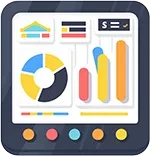
Completion rates, repeat findings and trends by site or contractor, with reports ready for management meetings and external audits.
Built to order
Built in phases on your own inspection records, with staff approving every output.
Module library
Add these as your inspection and audit work needs them.
Every inspection tied to an exact place or asset.
Record every site, building, floor and asset, and tie each inspection and finding to an exact location.
Run handover and routine checks on units and common areas, raising repairs in our property maintenance management software.
Link inspections to units, leases and tenants held in our property management software, including move-in and move-out checks.
Record daily vehicle checks and defects, linked to servicing records in our fleet management software.
Schedule audits of racking, storage areas and safety equipment, using bin locations from our warehouse management system.
Inspections tied to licences, complaints and building work.
Schedule the inspection before a permit or licence is issued, from applications made in an e-services portal →.
Turn a public complaint or feedback case into an inspection, with the outcome recorded back on the case.
Inspect work in progress at agreed stages, with findings linked to tasks in our project management software.
Generate notices, warning letters and inspection reports from your templates, filled from the findings and sent by email.
Reports and records ready whenever an auditor asks.
Produce a branded PDF report the moment an inspection is submitted, with photos, signatures and findings.
See completion rates, open findings and overdue actions by site, inspector and contractor on one dashboard.
Keep every answer, photo and change against a named user and time, for the retention period you set.
Add temperature logs and excursions from our temperature monitoring system to food safety and cold chain audits.
Everyone outside your team sees only their own findings.
Audited suppliers, tenants or premises owners log in to see their findings and upload proof of correction.
Collect signatures from the inspector and the site representative on screen, or send the report for DocuSign signing.
Send action reminders, inspection bookings and report links by WhatsApp, email or SMS on the schedule you set.
Integrations
Connect the system to the messaging, office, signing and identity tools your teams already use.
 WhatsApp Business
 Google Workspace
 DocuSign
 Singpass, Corppass and Myinfo
 Zapier
Using something that is not on this list? Tell us what it is and we will scope the connection.
Custom build
Packaged inspection apps suit teams whose checklists and follow-up match the product. When your inspection types, severity scales or approval steps do not, we build the system around them, and change it when your procedures change.
Questions
Inspection management software runs an inspection from checklist to closed finding. Look for templates, scheduling, a mobile app with photos and signatures, severity levels, corrective actions with owners, re-inspections, reports and a full audit trail.
Audit management software plans and runs internal and supplier audits: the audit programme, checklists, evidence, nonconformities, corrective actions and reports. Ours runs audits and inspections in one system, sharing the same findings and actions.
The inspection app runs on any phone or tablet, with photos and signatures saved to each checklist item. Where your sites have poor signal, we can build it to work offline and upload results once it reconnects.
Each finding gets a corrective action with an owner and a due date set by its severity. Reminders go out until evidence is uploaded, a supervisor signs it off, and a re-inspection can be booked to confirm the fix.
Cost depends on scope: the inspection types and modules in the first phase, the records to migrate and the systems to connect. We quote after a scoping session and price each phase separately. Call 6581 3431 to discuss yours.
It depends on the first phase. A release covering checklists, scheduling and the inspection app goes live sooner than a full build with audits and portals, and we give you a schedule once the scope is agreed.
We turn your paper checklists into digital templates and import your spreadsheets of sites, assets and open findings. You check a test import first, then we load the final data on a cut-off date you agree.
Our solutions are eligible for government grants. We explain how the schemes apply to your project and what the agency looks for, so you can budget with the full picture in front of you.
The system connects to Microsoft 365, Google Workspace, WhatsApp Business, SMS gateways and DocuSign, and to your asset, property or maintenance systems through their APIs. Tell us what you run and we will scope each connection.
AI features can be added, each built in its own phase on your own records. They cover drafted findings and reports, document reading, WhatsApp and email replies, data questions, forecasts and repeat finding checks, all reviewed by staff.
The system supports your PDPA obligations through permissions, activity logs and access controls. Inspectors, contractors and audited parties see only what their role allows, and every change is logged, while your own policies do the rest.
Related solutions
Work orders, handover checks and contractor jobs for every building.
Read more Property management softwareUnits, leases, tenants and move-in and move-out inspections.
Read more Temperature monitoring systemTemperature logs, excursion alerts and audit-ready reports.
Read more Fleet management softwareVehicle checks, defect reports, servicing and repair history.
Read more Project management softwareTasks, schedules and costs for contractors and project teams.
Read more Warehouse management systemBin locations, stock movements and warehouse audits.
Read moreNext step
Bring your inspection checklists and a month of findings, and we will show you the same inspections run in the system, with AI drafting reports and flagging repeat findings.